
Introduction
Modern sales organizations increasingly prioritize customer relationships. According to Salesforce research, “46% of sales leaders say that deeper customer relationships are a key objective” for sustained success. Sales CRM technology enables teams to build stronger client connections, boost productivity, and drive revenue growth.
Key Statistics:
- 52% of high-performing sales reps classify themselves as power users maximizing CRM capabilities
- 47% of CRM users report improved customer satisfaction and retention
- 24% more sales professionals meet annual quotas with mobile CRM access
- Average ROI is $8.71 per dollar invested in CRM solutions
Sales CRMs vs Traditional CRMs
Organization-Wide CRMs focus on cross-departmental collaboration through centralized platforms. They offer customer service tickets, marketing automation, and executive dashboards but lack sales-specific features.
Sales-Focused CRMs are purpose-built for sales teams, providing deal tracking, geographic mapping, prospecting tools, and cadence management to enhance rep efficiency.
15 Top Sales CRM Options
1. Salesforce Small Business Solutions
Best for Sales-Focused Teams
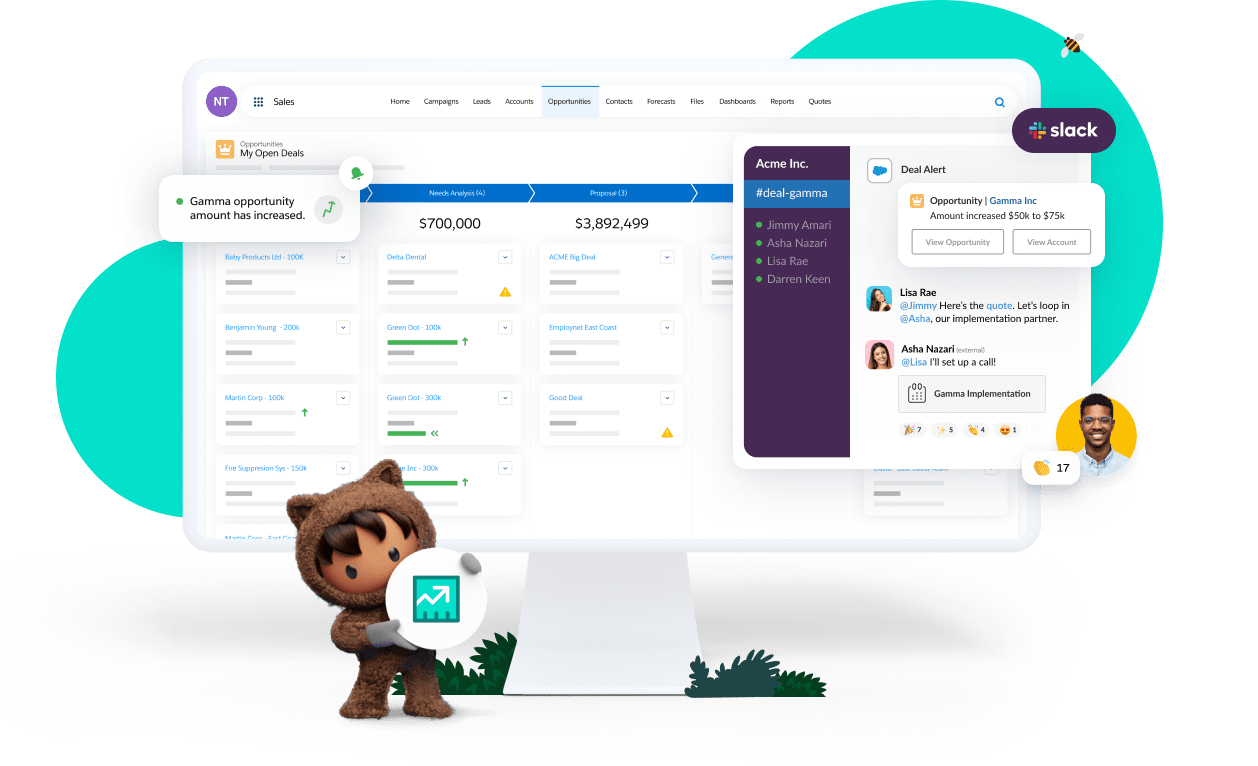
A cloud-based platform designed for small businesses with extensive customization options.
Pros:
- Wide feature range and high customization
- Affordable essential plan ($25/user/month)
- Robust reporting and AI-powered sales tools
Cons:
- Limited scalability beyond 25 users
- Less mobile-friendly for field reps
- Clunky user interface compared to competitors
2. HubSpot Sales Hub
Best for Sales-Focused Teams
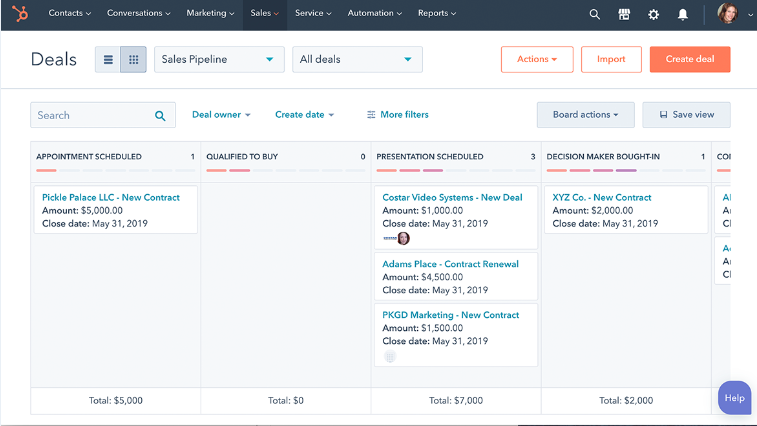
User-friendly platform with strong pipeline management and email tracking capabilities.
Pros:
- Free plan available for new CRM users
- Extensive integrations available
- Simplistic interface ideal for beginners
- Email tracking and deal management features
Cons:
- Premium features require paid subscriptions ($50+/user/month)
- Limited sales workflow automation
- Mobile app lacks desktop functionality
3. Bitrix 24
Best for Sales-Focused Teams
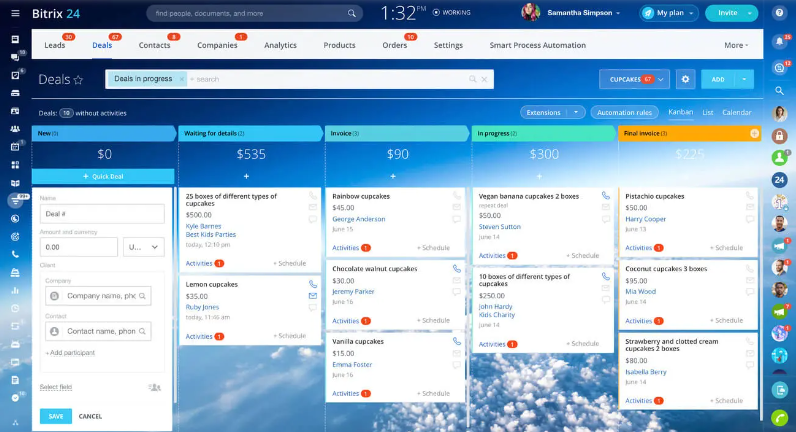
Low-cost, all-in-one solution for small business customer relationship management.
Pros:
- Multi-channel communication (video, chat, email, SMS, social)
- Internal team communication like Slack
- Management tools for coaching and workflows
- Comprehensive contact timeline recording
Cons:
- Non-intuitive user interface
- Difficult navigation for some users
- Limited email marketing functionality
4. Microsoft Dynamics 365
Best for Organization-Wide Applications
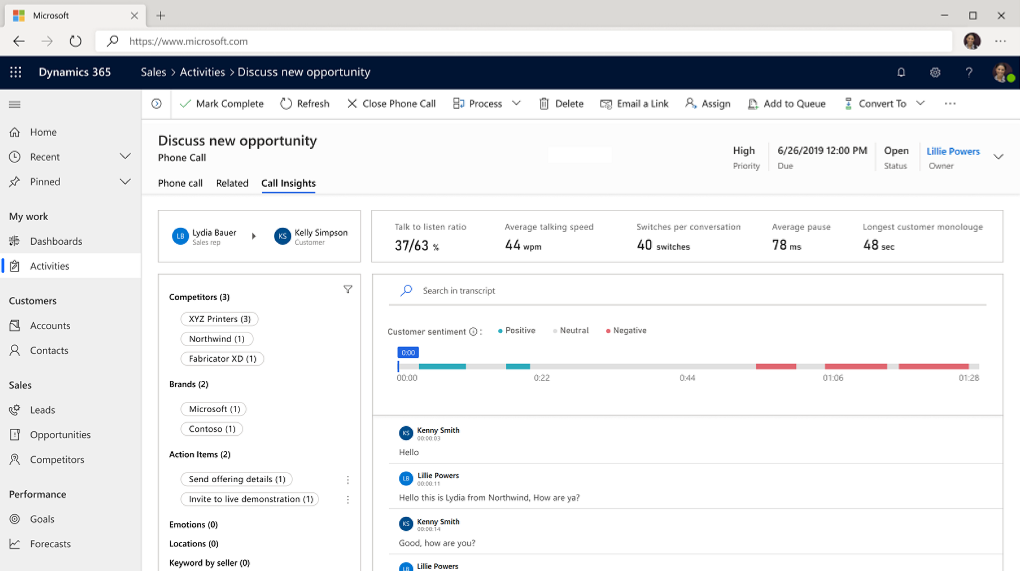
Mobile-friendly CRM for organizations already invested in Microsoft ecosystem.
Pros:
- 360-degree customer view
- Built-in collaboration features
- Hybrid on-premise/cloud data management
- AI-powered sales insights
Cons:
- Best used with other Microsoft products
- Limited customization options
- Enterprise pricing at $95/user/month
- Not suitable for small businesses
5. Insightly
Best for Organization-Wide Applications
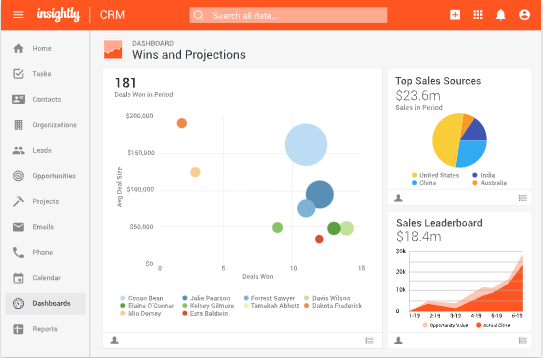
Unified platform aligning sales, marketing, and project management teams.
Pros:
- Automation and customization capabilities
- Strong security with permission settings
- Tools for effective team management
Cons:
- Visual experience lacks polish
- Quotes and order management require enterprise upgrade
6. Zoho CRM
Best for Sales-Focused Teams
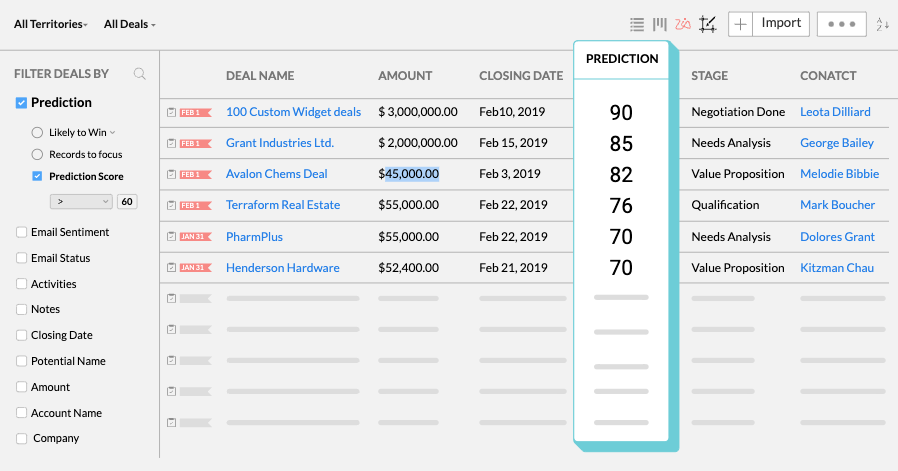
Multi-channel platform pulling customer data from multiple sources.
Pros:
- AI-powered assistant (Zia) for sales intelligence
- Social media integration capabilities
- Affordable pricing ($14-$52/user/month, free for 3 users)
- Valuable features across all price tiers
Cons:
- Difficult initial implementation
- Overwhelming platform complexity for new users
- Limited offline functionality
7. Freshworks CRM
Best for Sales-Focused Teams
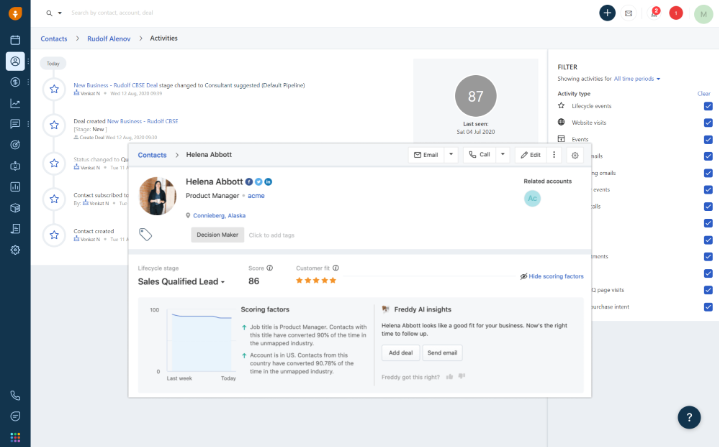
Customizable CRM providing single-source contact management and customer insights.
Pros:
- Feature-packed AI-powered platform
- Superior customer support ratings
- 21-day free trial available
- Pricing range: $29-$125/user/month
Cons:
- No inventory or catalog pricing management
- Reported internet connection slowness
8. ZenDesk Sell
Best for Sales-Focused Teams
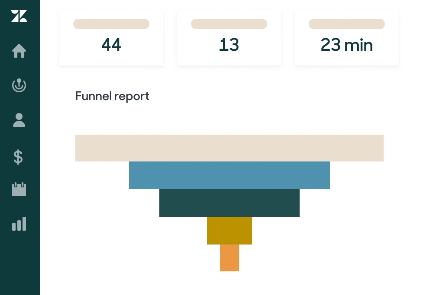
Mobile-optimized CRM designed for outside sales representatives.
Pros:
- Excellent mobile app for field reps
- Mobile calling and call recording capabilities
- Activity tracking directly through app
- Part of broader ZenDesk suite
Cons:
- Missing mapping and routing features
- Limited third-party integrations
- Lacks marketing automation capabilities
9. Map My Customers
Best for Sales-Focused Teams
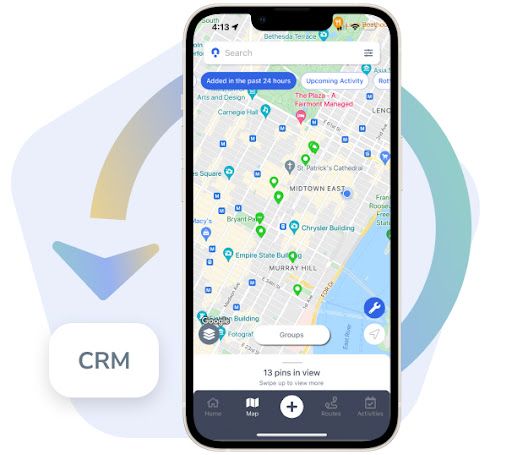
Purpose-built platform for field representatives combining CRM with mapping and routing.
Pros:
- Built specifically for field sales teams
- Comprehensive visual dashboard with activity overview
- Smart routing and automated route planning
- Smart Planner for intelligent daily scheduling
- Weekly Scorecard tracking team performance
- Self-service integration with HubSpot, Salesforce, Zoho, Microsoft Dynamics
- Cadence management preventing lead dropout
Cons:
- Optimized for outside sales; limited inside sales applications
10. Nutshell CRM
Best for Sales-Focused Teams
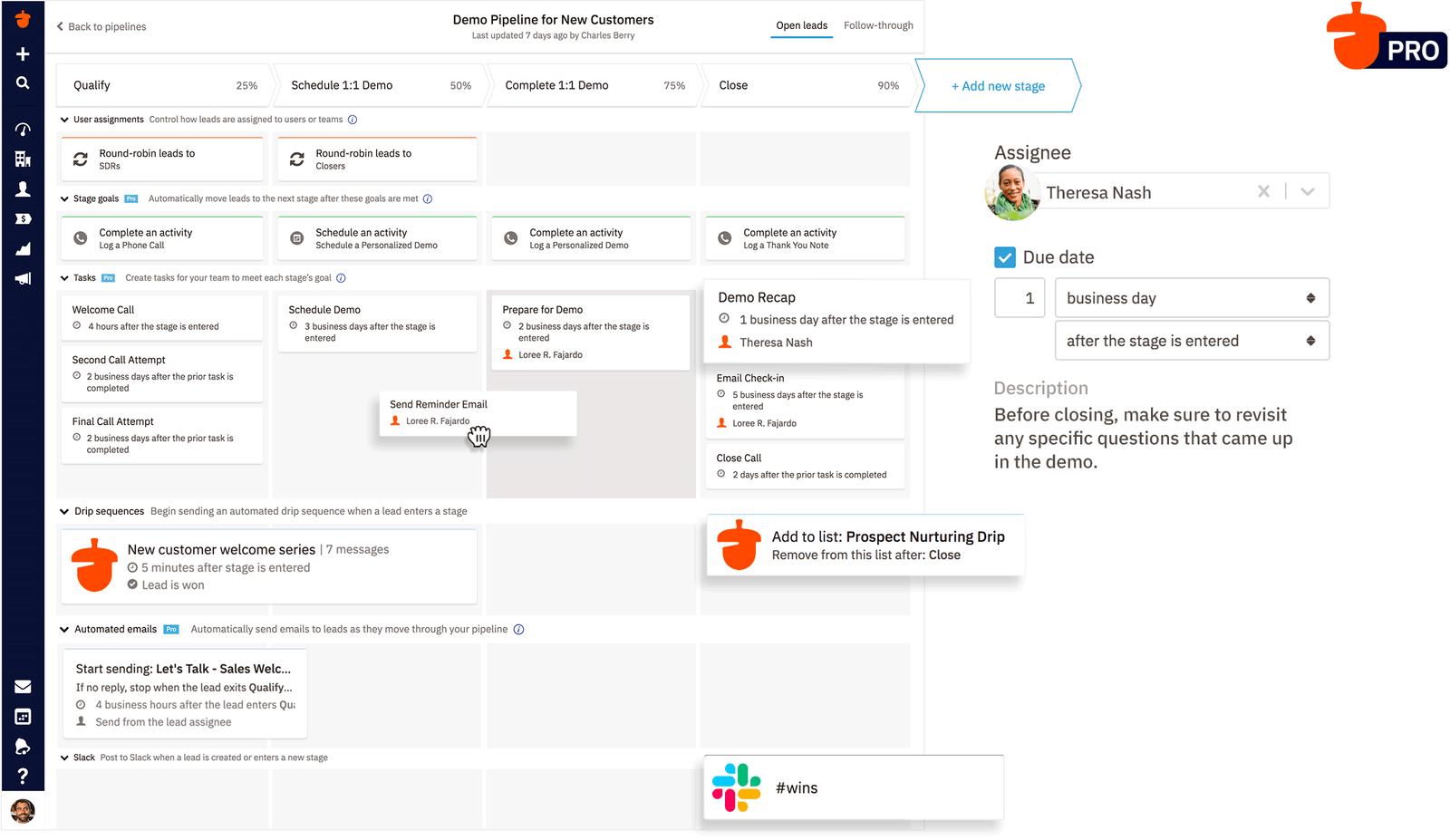
User-friendly all-in-one solution prioritizing sales management and team alignment.
Pros:
- Nutshell Maps for geographic visualization
- Customization and automation capabilities
- User-friendly pipeline management
- Customizable sales pipeline templates
Cons:
- Limited growth potential for scaling organizations
- No sales routing functionality
- Restricted social media access
11. Pipedrive
Best for Sales-Focused Teams
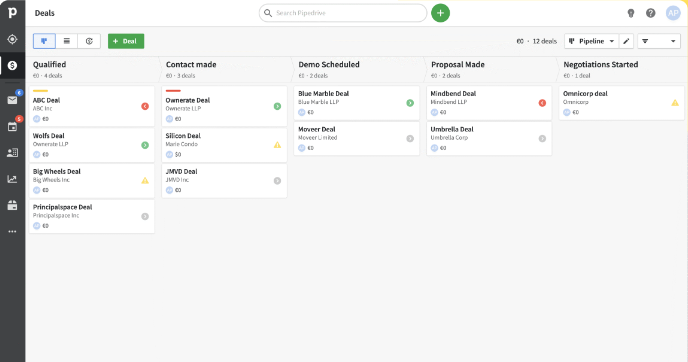
Visual pipeline management platform helping teams organize business and track performance.
Pros:
- Easy-to-use visual sales process organization
- Extensive customization for multiple pipelines
- Automation reducing repetitive admin tasks
- Smart Email BCC sync options (varies by plan)
Cons:
- Cumbersome implementation process
- Limited integrations with enterprise systems (Oracle, SAP)
- Minimal marketing features
12. Monday.com Sales CRM
Best for Organization-Wide Application
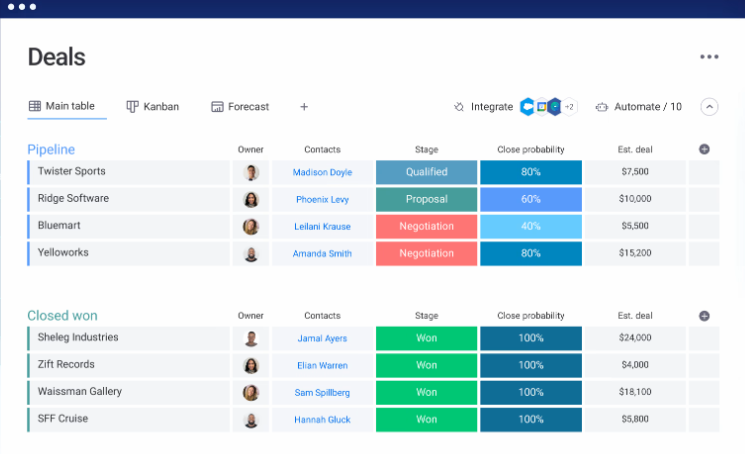
Project management platform evolved into customizable sales CRM within Work OS.
Pros:
- Extremely user-friendly interface
- Lead capture, contact management, deal tracking
- No-code automation streamlining admin tasks
- Intuitive integrations with popular tools
Cons:
- Limited sales-specific CRM features
- Potentially expensive for small sales teams
- Not optimized for field sales
13. Keap
Best for Organization-Wide Application
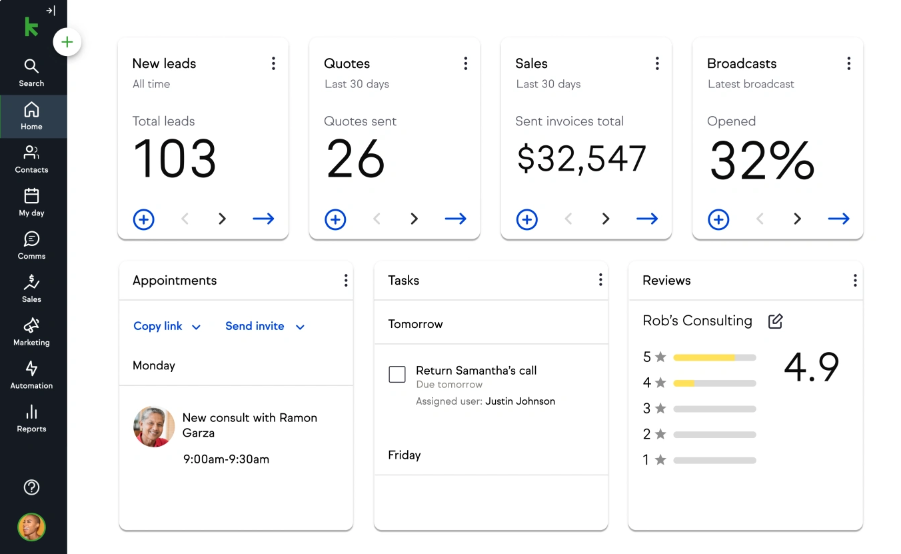
Cloud-based solution combining sales CRM, marketing automation, and e-commerce functionality.
Pros:
- Tailored for small businesses, freelancers, and self-employed individuals
- High customization levels
- Multiple lead database building options
Cons:
- Significant learning curve
- Higher pricing relative to competitors
- Limited third-party integrations
14. Capsule CRM
Best for Sales-Focused Teams
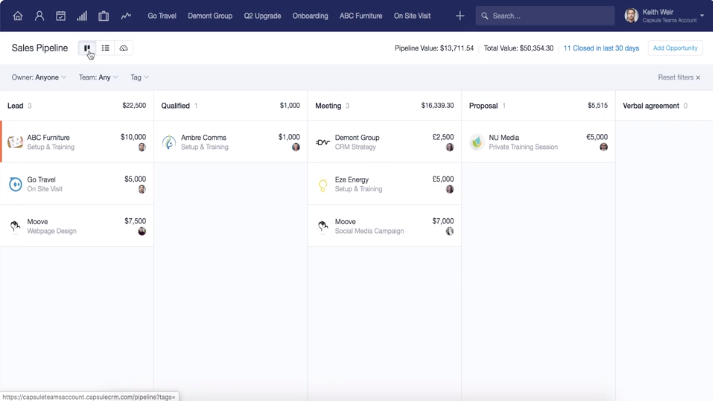
Highly customizable cloud CRM emphasizing streamlined organization and relationship building.
Pros:
- Clean interface with minimal learning curve
- Quick access to pipeline and task information
- Multiple contact import formats (Outlook, Gmail, CSV)
- Free version for 2 users with 250-contact limit
- Integration with G Suite, Mailchimp, Zendesk, Twitter, Zapier
Cons:
- Free plan limited to 250 contacts
- Email BCC tracking requires manual effort
15. Copper
Best for Organization-Wide Application
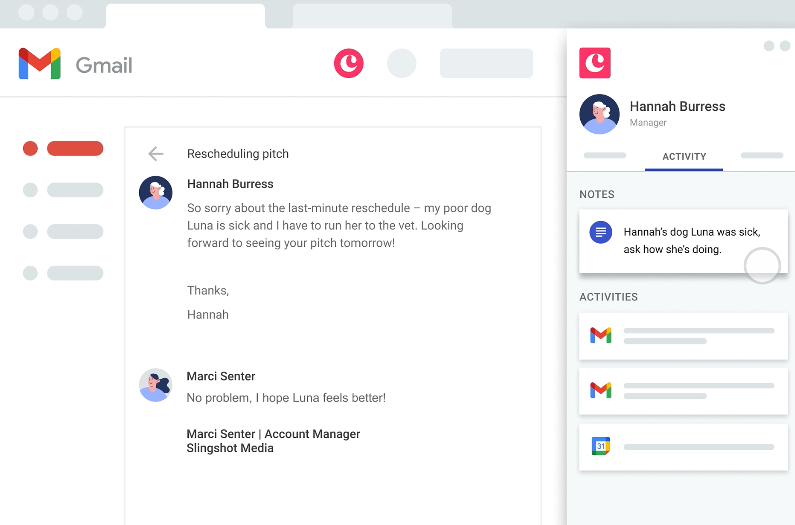
Mobile-friendly productivity CRM designed specifically for Google Workspace users.
Pros:
- Seamless Google Workspace integration
- Minimal manual data entry requirements
- Highly visualized sales pipeline
- Contact access via email, text, voice search
- Voice transcription for field note-taking
- Weekly pipeline progression reports
Cons:
- Learning curve despite user-friendly design
- Cannot attach files to Copper emails
- Not ideal for complex sales cycles
- Limited troubleshooting tutorials
Driving CRM Engagement & Usage Upon Implementation

Any CRM effectiveness depends on user adoption. Sales teams must actively utilize the platform for maximum organizational benefit. The Field Sales Leadership Guide Podcast provides tips for driving engagement and CRM usage post-implementation.
Conclusion
Sales CRM solutions are essential business growth tools in today’s market. Selecting the right platform requires understanding specific organizational needs and choosing between organization-wide and sales-focused applications. Testing multiple options helps identify the best fit for maximizing sales team productivity and improving business performance.