
What Is Sales Territory Mapping?
Sales territory mapping involves laying out geographic areas that field sales representatives will cover. This approach allows teams to visualize customer and prospect locations, creating a clear strategy for reaching objectives.
Key metrics for territory division include:
- Zip codes
- State boundaries
- Existing customer count
- Target demographic prospects
- Internal and external influencing factors
The process enables teams to understand where your customers and prospects are located, how they are distributed across the target territories, and ensures clear direction on coverage assignments.

The Benefits of Sales Territory Mapping
Well-balanced territories create multiple advantages:
- Optimal rep performance and quota achievement
- Prevented imbalances (territories that are either oversaturated or undersized)
- Better opportunity identification and client satisfaction
- Motivated sales teams with manageable workloads
- Sustainable company growth
How to Map Sales Territories Effectively
Step 1: Evaluate Market Data
Begin by analyzing current market data including:
- Industries currently served
- Regional performance variations
- Competitor locations
- Historical sales numbers from your CRM
This data-driven approach helps plan for opportunity and workload distribution.
Step 2: Create Customer Segments

Group customers and prospects by:
- Geographic location
- Business size
- Industry
- Target demographic
- Product/service needs
Segmentation enables even opportunity distribution among representatives.
Step 3: Factor in Your Sales Goals and Objectives
Analyze your company’s sales volume targets and revenue goals. Calculate how many customer visits are needed based on typical conversion rates to meet objectives. This provides a baseline for territory division.
Step 4: Use a SWOT Analysis
Strengths: Identify individual rep skills, experiences, and team process advantages. Assign territories matching rep capabilities to market needs.
Weaknesses: Recognize pipeline gaps and resource limitations to create territories that minimize vulnerability.
Opportunities: Identify underserved regions and untapped markets with growth potential.
Threats: Assess external and internal challenges — market demand changes, new competitors, or industry shifts affecting your territories.
Step 5: Define and Assign Your Sales Territories
Consider these factors when finalizing territories:
- Account number evenness and manageability
- High-value account locations
- Prospect quantity for quota achievement
- Required team resources
- Lead generation capabilities within each territory
Assignment approaches include location-based assignment (proximity to territory) or expertise-based assignment (matching skills to territory needs).
Step 6: Take Advantage of the Right Tools
Modern territory mapping software reduces human error and ensures data-driven decisions. Benefits include:
- Demographic data availability for prospect qualification
- Prevention of missed opportunities
- Customer referral and upsell utilization
- Territory overlap prevention
- Balanced workload distribution
- Increased prospect visits with reduced travel time
Continue to Evaluate and Shift Territories as Needed
Territories require ongoing assessment. Monitor sales data and adjust when circumstances change — workforce modifications, demographic shifts, or new competition emerge.
Step 1: Review Current Resources
Evaluate current rep count and available resources against the original territory plan. Adjust territory boundaries based on staffing changes.
Step 2: Use Data to Evaluate Territory Performance
Analyze key metrics:
- Account numbers per territory
- Historical revenue performance sustainability
- Geographic spread and rep proximity
- Sales pipeline opportunities
Step 3: Re-Evaluate Market Potential
Assess changes in market conditions affecting territory potential:
- New competitor emergence
- Customer base shifts
- Spending habit changes
- Industry modifications
Forecast market potential and identify necessary adjustments.
Sales Territory Mapping With Google Maps
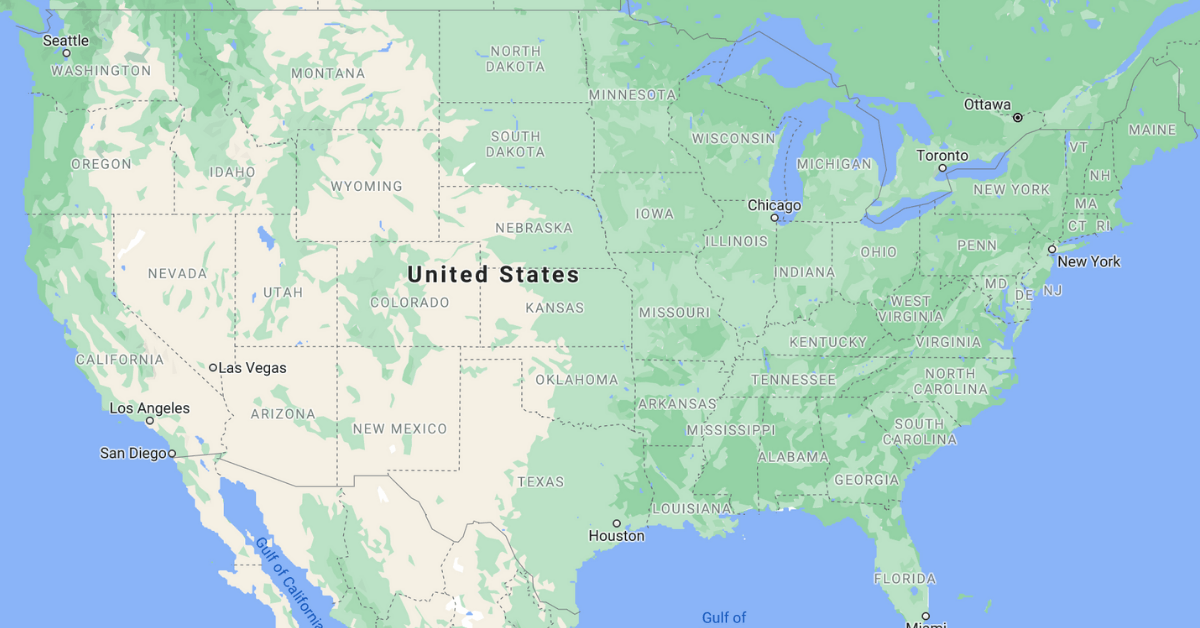
While Google Maps historically served as the electronic territory mapping standard, it presents significant limitations for modern sales operations.
Limitations of Using Google Maps
Lack of demographic data: Google Maps provides only geographic boundaries, offering no insight into prospect profiles, purchase likelihood, or target demographic fit.
No prospect quantification: The platform cannot reveal how many businesses or prospects exist within territories, preventing balanced workload distribution.
Manual, inefficient routing: Creating optimized routes requires manual effort, limiting schedule flexibility and consuming administrative time that reps should spend selling.
Missed efficiency opportunities: A Salesforce study indicates reps spend 64% of time on administrative tasks, leaving only 36% for actual selling. Proper territory management addresses this imbalance.
Top Sales Territory Mapping Software to Replace Google Maps
Map My Customers
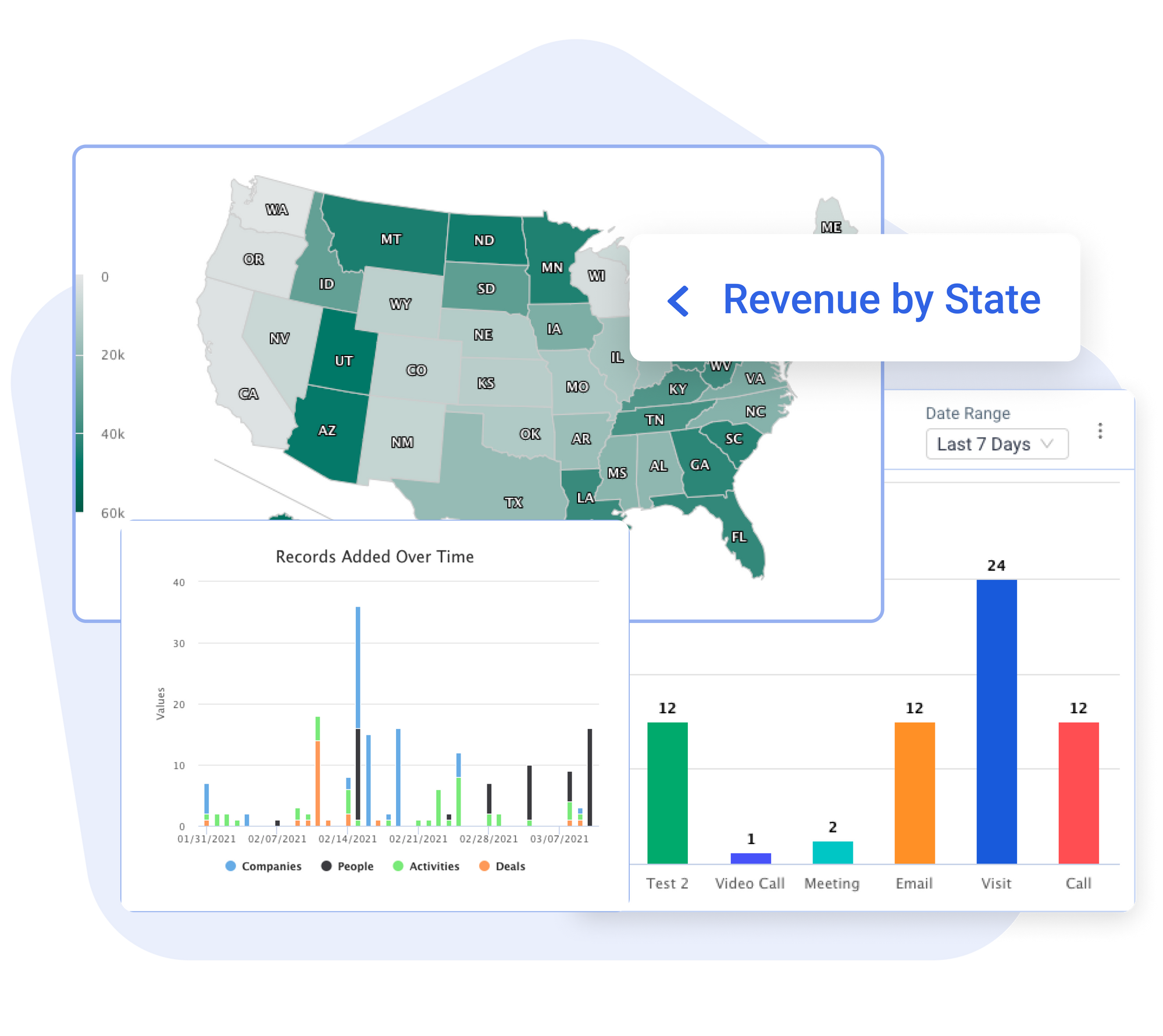
An all-in-one, mobile-first sales platform enabling teams to map territories, optimize routes, track activities, and plan their day. Features include revenue heat maps for identifying top-performing areas and advanced reporting for performance analysis.
The platform includes team management functionality with map-based activity visualization and integrates with major CRMs including HubSpot, Salesforce, Zoho, and Microsoft Dynamics.
Maptive
This software provides built-in direction tools for route calculation between daily prospects. Teams can create and save routes while collaborating on territory updates. Reps can add discovered leads and pass opportunities to teammates. The platform groups areas by worth, helping identify high-probability sale locations.
Salesforce Maps
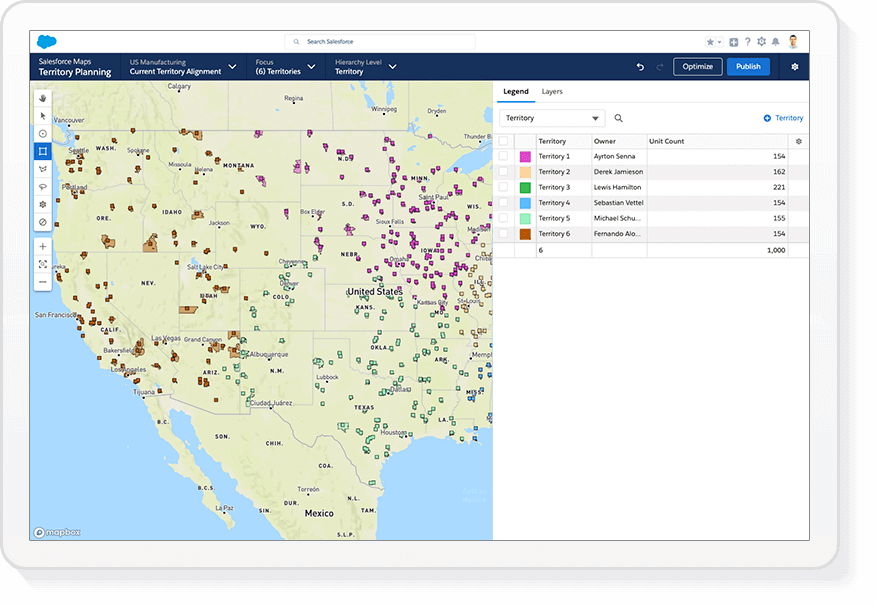
Integrated within Salesforce CRM, this tool enables quick territory definition ensuring time focuses on optimal opportunities. Teams divide territories by geography, customer status, revenue, product requirements, or sales type.
Features include optimized route creation reducing travel time and costs, and schedule optimization prioritizing prospects based on Einstein Scores or potential revenue across seven-day windows.
Geopointe
A Salesforce-integrated mapping tool that location-enables CRM data for territory mapping and process streamlining. The visual editor creates clean, contiguous territories for assignment and sharing through automated assignment features.
The platform provides advanced visualization and filtering to identify trends and patterns while automating routing activities.
Utilize Effective Territory Mapping to Optimize Sales Team Potential
Outside sales representatives need more than geographic boundaries. They require demographic data, optimized routes, customer information, and prospecting capabilities.
Following the outlined steps and selecting appropriate mapping software ensures revenue increases and teams selling more effectively.