Reducing Seller Burden
Business Card Scanner
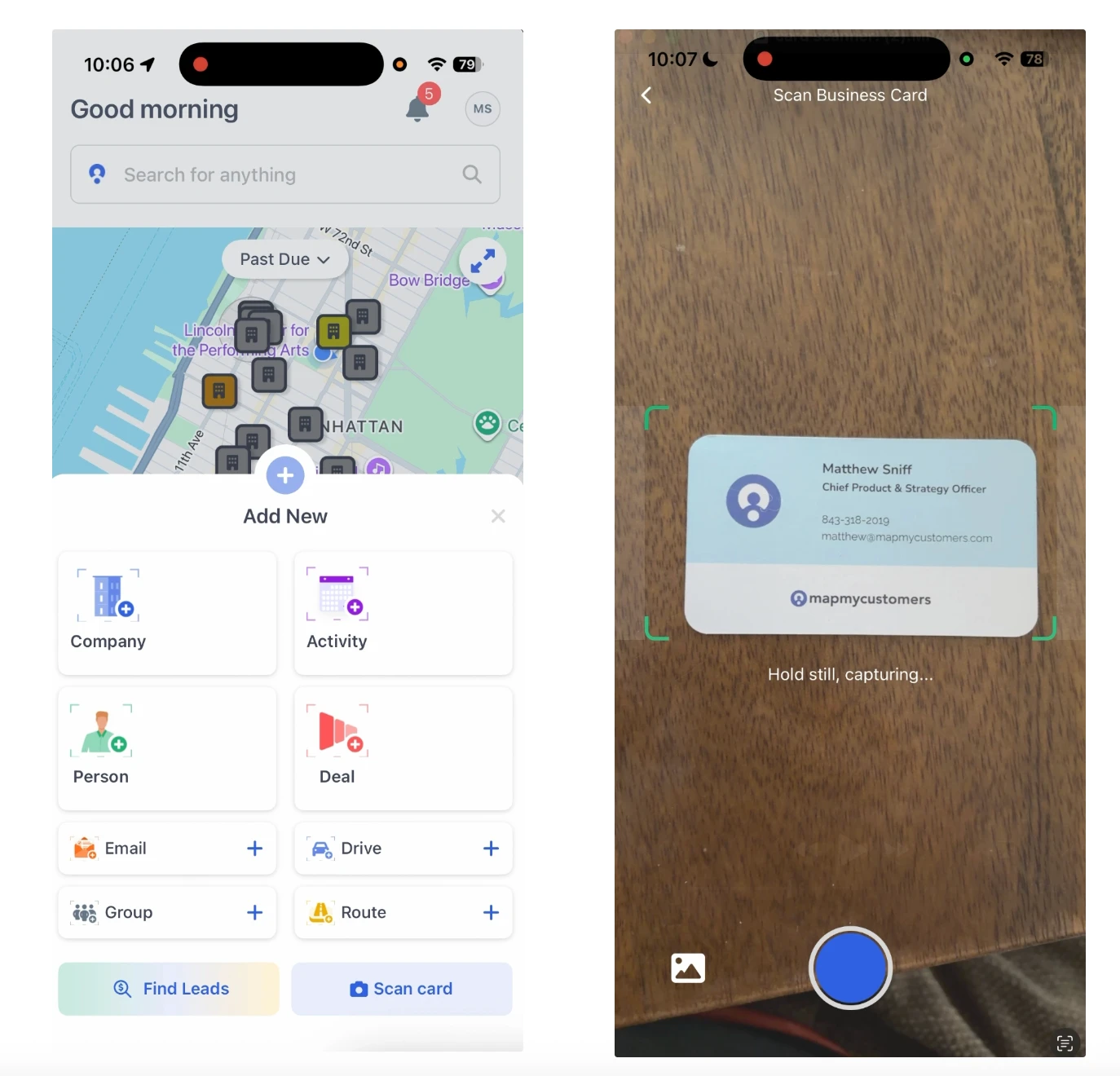
Snap a photo of any business card and instantly create a new contact in your CRM. No typing, no lost cards, no forgotten leads.
Snap a photo of any business card and instantly create a new contact in your CRM. No typing, no lost cards, no forgotten leads.
Explore the Business Card Scanner in this interactive walkthrough. No login required.
Point your phone camera at a business card and the scanner extracts name, title, company, phone, email, and address in seconds using optical character recognition.
Scanned contacts are automatically created as new records in your connected CRM: Salesforce, HubSpot, Dynamics, or Zoho. No manual data entry required.
Scan cards at trade shows, conferences, or in the field even without cell service. Cards queue up and sync when you're back online.
Every card you scan is timestamped and geotagged. Know exactly when and where you met each prospect, perfect for follow-up context.
Open the MMC mobile app, tap the scanner icon, and point your camera at the business card. OCR extracts all contact details instantly.
Confirm the parsed fields: name, title, company, phone, email. Edit anything the OCR missed, then save with one tap.
The new contact appears in your CRM and on your map. Add them to a route, schedule a follow-up, or send an email, all from the same screen.

Request a demo
Map My Customers helps field sales teams run the day-to-day work that drives revenue. Learn how teams reduce admin, improve coverage, and create stronger field performance.