Reducing Seller Burden
Pinned Resources
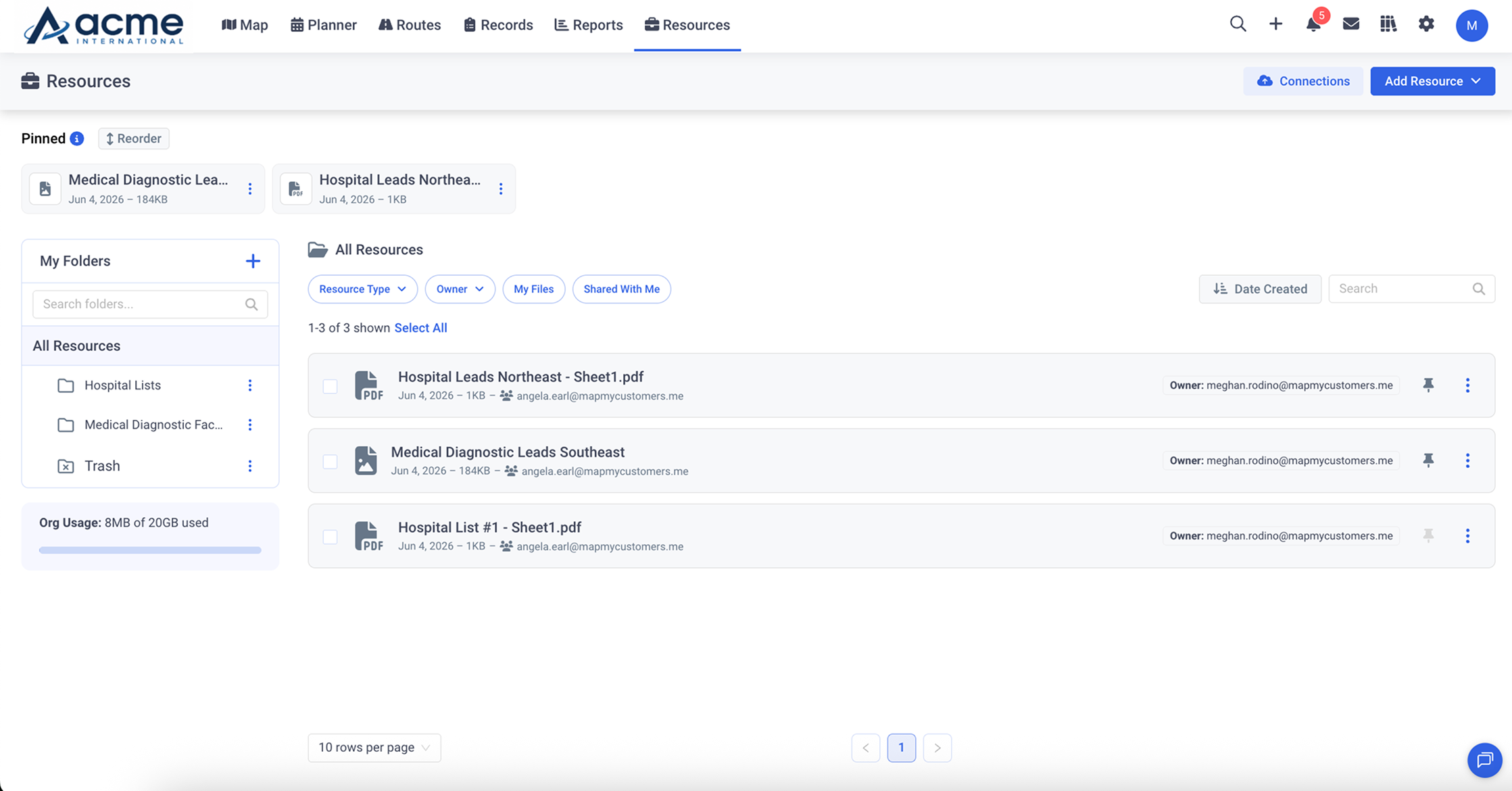
Centralized resource library with folder management, SharePoint and Google Drive connectors, and team sharing. Reps have the right documents, videos, and files at their fingertips for every account visit.
Centralized resource library with folder management, SharePoint and Google Drive connectors, and team sharing. Reps have the right documents, videos, and files at their fingertips for every account visit.
Organize resources into logical folders by product line, region, or use case. Reps find what they need without digging through cluttered shared drives.
Connect SharePoint, Google Drive, OneDrive, and AWS S3 to sync resources automatically. Files stay up to date without manual uploads or version confusion.
Share resources with specific teams or the entire org. Control who can view, edit, or manage each folder to keep sensitive materials secure.
Pin the most relevant documents directly to individual accounts. When a rep opens an account, the right collateral is already waiting.
Upload files directly or connect SharePoint, Google Drive, OneDrive, or AWS S3. Resources sync automatically and stay current.
Create folders, set permissions, and share with the right teams. Pin key documents to specific accounts for instant access.
Reps pull up the right resource before any meeting, on desktop or mobile. No more searching through email threads for the latest version.

Request a demo
Map My Customers helps field sales teams run the day-to-day work that drives revenue. Learn how teams reduce admin, improve coverage, and create stronger field performance.