More Time Selling
Voice-to-Text Notes
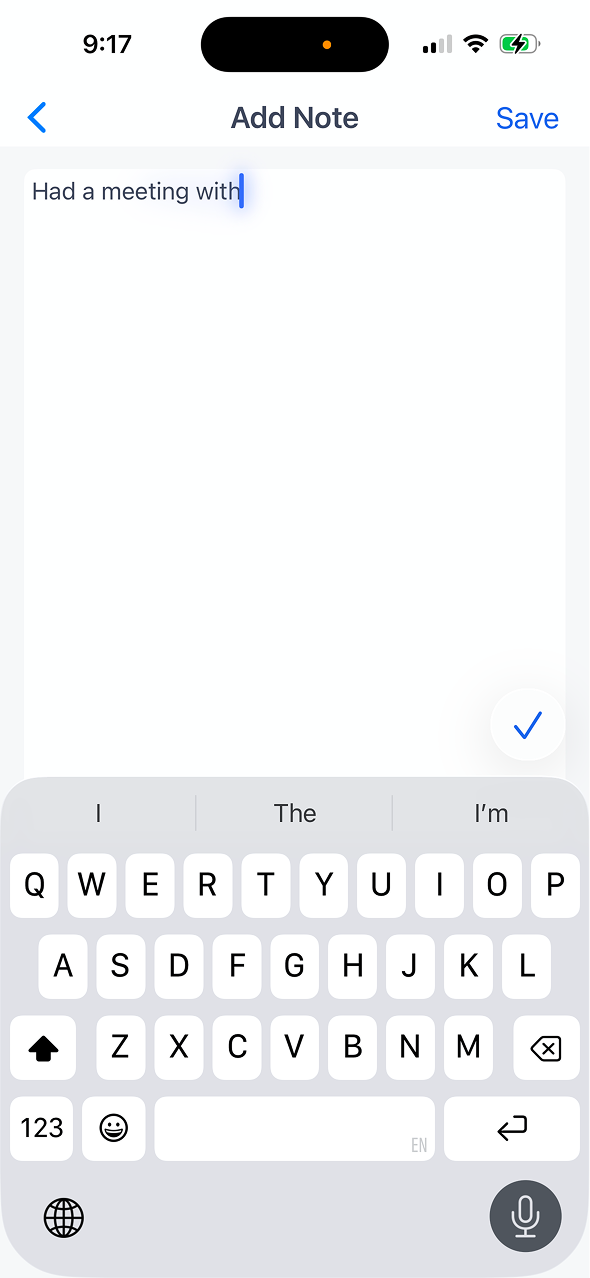
Talk through your visit while it is fresh. Notes are transcribed automatically and attached to the right account in your CRM. No typing required.
Talk through your visit while it is fresh. Notes are transcribed automatically and attached to the right account in your CRM. No typing required.
Record notes while walking to your car or driving to the next stop. One tap starts recording so nothing slips through the cracks.
Speech is converted to clean, readable text in real time. Review and edit before saving, or trust the transcript and move on.
Notes attach to the correct account, contact, or opportunity automatically. Your CRM stays current without double data entry.
Record in dead zones and the app queues notes for transcription and sync once you are back online. Never lose a note to poor signal.
Open the account record and hit the microphone button. Speak naturally about the visit: key contacts, next steps, deal blockers.
The app converts your speech to text instantly. Scan it for accuracy, make quick edits if needed, then confirm.
The note is saved to the account timeline and pushed to your connected CRM. Managers and teammates see it immediately.

Request a demo
Map My Customers helps field sales teams run the day-to-day work that drives revenue. Learn how teams reduce admin, improve coverage, and create stronger field performance.