
Overview
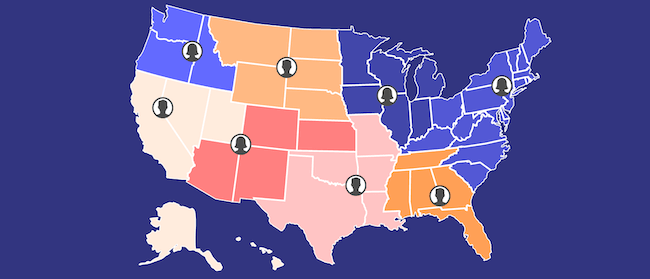
Salesforce Maps (formerly MapAnything) is a location intelligence tool built natively on the Salesforce platform — now under the Agentforce Sales umbrella following Salesforce’s rebrand of Sales Cloud at Dreamforce ‘25. It allows sales teams to visualize CRM data geographically, plan multi-stop routes, and manage territories. Its tight Salesforce dependency, complexity, and cost make it a poor fit for many field sales teams.
August 31, 2026 — Salesforce Maps Mobile Retirements: Salesforce is removing the standalone Salesforce Maps mobile app from the Apple App Store and Google Play on August 31, 2026. After that date, the app receives no support, updates, or security patches. Users must migrate to the Maps experience within the standard Salesforce mobile app. Salesforce Maps Live Tracking Mobile subscriptions are also retiring on this date — reps will no longer be able to generate new geolocation data. Salesforce recommends Check-In and Mileage Administration within core Maps as replacements. If your team relies on either feature, migration planning should be underway now.
Location intelligence represents a critical capability for modern sales teams. While Salesforce Maps (formerly MapAnything) offers mapping functionality, it has limitations for field representatives. This article examines six alternatives that may better serve field sales teams.
Alternatives at a Glance
| Tool | Best For | Pricing | Salesforce Required? |
|---|---|---|---|
| Salesforce Maps | Enterprise Salesforce teams needing territory + routing | $75-$150/user/month (annual) + CRM license | Yes |
| Geopointe | Budget-conscious teams wanting Salesforce mapping | $55/user/month (annual) | Yes |
| Map My Customers | B2B outside sales teams needing an all-in-one platform | $60-$105/user/month | No (optional) |
| Spotio | Door-to-door B2C canvassing teams | Contact for pricing | No |
| SalesRabbit | B2C door-to-door teams on a budget | $35/user/month | No |
| Google Maps API | Teams wanting map/route features without sales tracking | Pay-per-usage | No |
1. Geopointe
Best For: Sales teams seeking economical mapping with strong Salesforce integration but accepting limited capabilities.
Key Features:
- Visualizes CRM data geographically
- Enables territory management and filtering
- Multi-stop route planning (available as add-on)
- Automates daily sales activities
Pricing: Annual Plan = $55/month per user; Enterprise = Contact for pricing
Strengths:
- Easy geographic data visualization
- Simple territory creation and management tools
- Territory sharing capabilities
Limitations:
- Advanced data filtering functions lack depth
- Requires Salesforce CRM integration
- Steeper learning curve than alternatives
2. Map My Customers
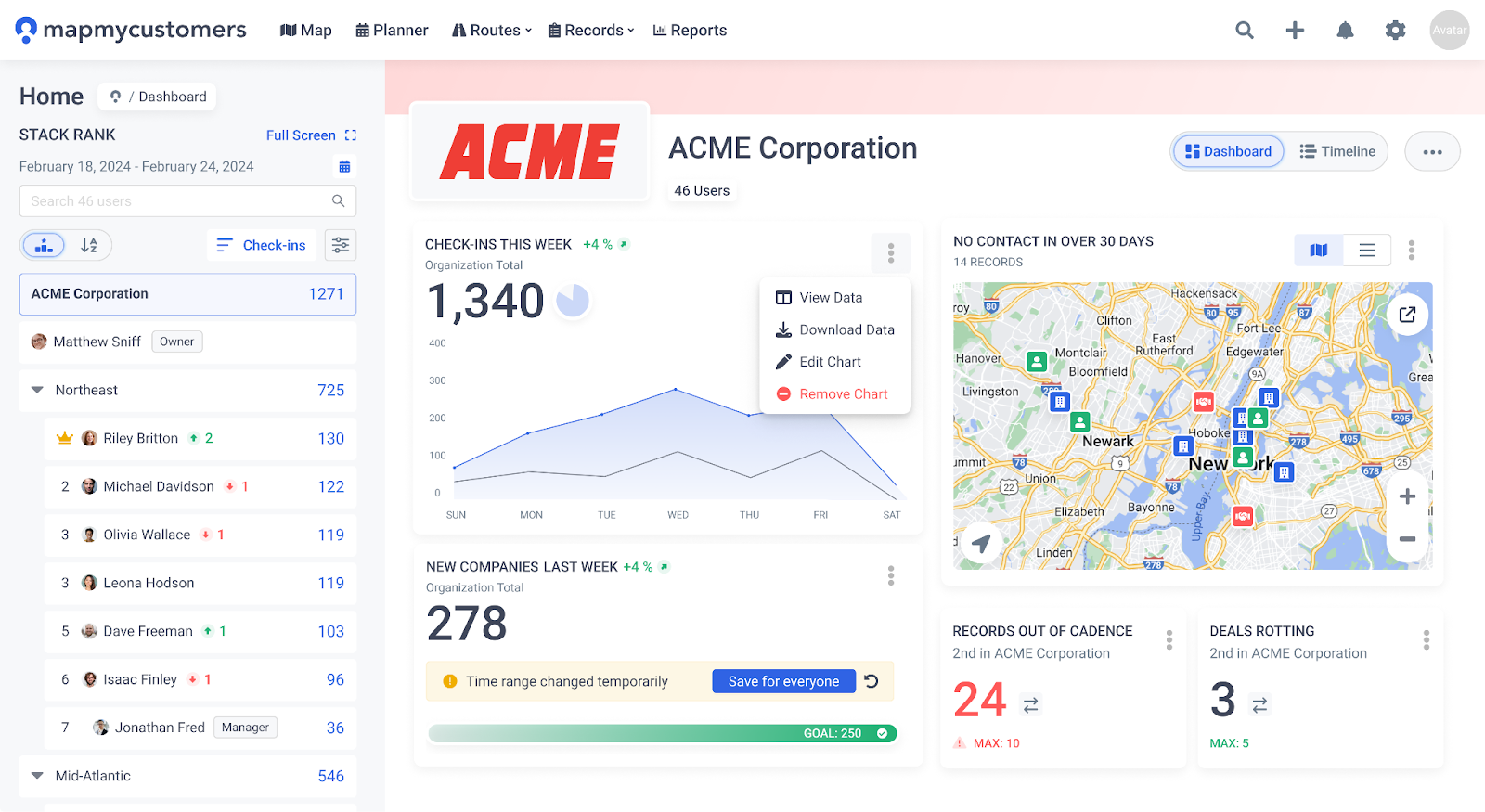
Best For: B2B sales teams desiring an all-in-one outside sales solution with team-wide adoption.
Key Features:
- Optimized multi-stop routing
- Customer mapping and filtering
- Activity logging (visits and calls)
- Automated check-ins and offline capability
- Smart Planner with suggested activities
- Comprehensive manager dashboard
- Lead Finder for prospect discovery
- Weekly Scorecard reporting
- Team Leaderboard functionality
- Robust reporting (Overview, Activity, Deals, Exports)
- Native integrations with HubSpot and Zoho CRMs
Pricing: Personal = $60/month per user; Team = $105/month per user
Strengths:
- Works standalone or integrated with Salesforce
- Comprehensive dashboard improves territory, pipeline, and cadence management
- Powerful routing and automation capabilities
- Self-service integration process
- Robust mobile platform for field operations
Limitations:
- Optimized for field sales rather than inside sales teams
3. Spotio
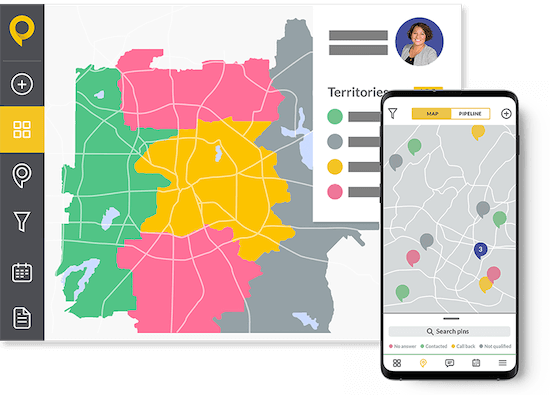
Best For: Door-to-door sales teams selling to residential consumers.
Key Features:
- Route optimization within defined territories
- Visual pipeline building
- Centralized sales activity tracking
- Real-time customer visit logging
- Visual, color-coded account representations
Pricing: Contact for pricing (B2B, B2C, and Custom plans available; minimum 5 users)
Strengths:
- Accessible activity and performance visualization
- Automatic activity organization and sequencing
- Mobile-friendly platform
Limitations:
- Limited team management features
- Restricted customization capabilities
- Weaker reporting compared to alternatives
4. SalesRabbit
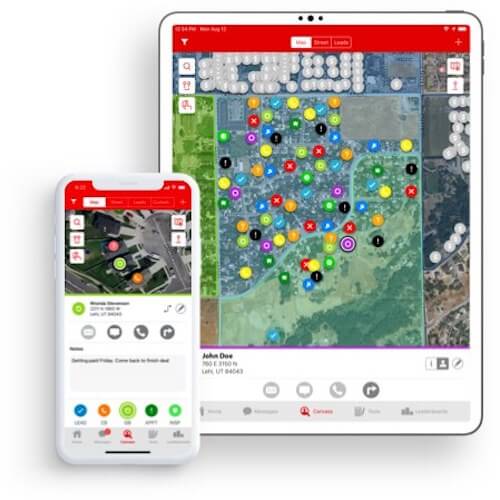
Best For: B2C door-to-door sales teams needing mapping with basic sales insights.
Key Features:
- Lead tracking and monitoring
- Progress reporting
- Graphical data visualization
- Territory management and assignment
- Performance tracking for individuals and teams
Pricing: $35/month per user; Essentials Bundle = $66/month per user (includes Datagrid AI and Digital Contracts)
Strengths:
- Intuitive interface
- Quick identification of visited versus unvisited locations
Limitations:
- Zapier subscription required for Salesforce integration
- Limited field note-taking functionality
6. Google Maps API (Google Maps Platform)
Best For: Sales teams wanting map creation and route optimization without field performance tracking.
Key Features:
- Global coverage (99% of world)
- Google Routes for route optimization
- Real-time navigation with traffic accounting
- Dynamic and static maps
- Marker, polygon, and image support
- Street View integration
Pricing: Pay-per-usage model based on individual feature usage
Strengths:
- Familiar interface for most users
- Comprehensive local and global geographic data
- Supports 80+ languages
- Includes Google Street View capability
Limitations:
- Limited customization compared to dedicated solutions
- No offline mode
- Unpredictable pricing changes historically
Conclusion
Choose Map My Customers if your B2B field sales team needs an all-in-one platform with routing, pipeline management, territory visibility, and native CRM integrations — without requiring Salesforce as a dependency.
Choose Geopointe if your team is already on Salesforce and wants a budget-friendly way to add geographic visualization without switching CRMs.
Choose Spotio or SalesRabbit if your selling motion is B2C door-to-door canvassing and you need GPS-based activity logging over complex account management.
Choose Google Maps API if you only need mapping and route infrastructure and are willing to build your own sales tracking on top of it.
Sales teams should evaluate which mapping functionalities their organization genuinely requires alongside necessary team management capabilities. Considerations include current user base size and anticipated growth. Solutions like Map My Customers offer mobile-friendly, all-in-one functionality with intelligent data visualization suited for contemporary field sales operations.