
Field sales teams sit on a goldmine of customer data - yet most of it lives in spreadsheet rows and CRM list views that offer no geographic context. CRM mapping software changes that equation by transforming raw account data into an interactive, location-aware intelligence layer that field reps and managers can act on in real time.
This guide covers what CRM mapping is, why it matters, which features to prioritize, and how to choose the right tool for a field sales team.
What Is CRM Mapping?
CRM mapping (also called sales mapping software or geographic CRM) is a category of software that plots CRM data - accounts, contacts, deals, and activities - onto an interactive map, enabling field sales teams to plan routes, manage territories, track visit cadence, and analyze performance by geography.
Unlike a standard CRM, which organizes data in rows and columns, CRM mapping software makes the spatial dimension of field sales visible and actionable. A rep can see every open opportunity within a 10-mile radius of their next appointment. A manager can see which territories are over-saturated and which are underserved - in seconds, not hours.
How CRM Mapping Differs from a Standard CRM
A CRM manages relationships. CRM mapping manages the geography of those relationships. The two work best together: the CRM stores the data, and the mapping layer surfaces it in the context that field reps actually work in - on the road, between appointments, navigating a territory.
Standard CRMs like Salesforce, HubSpot, and Zoho were designed for inside sales and revenue operations teams working at desks. Their list and pipeline views are powerful for tracking deals, but they offer no native way to answer questions like: “Which accounts near my 2 p.m. appointment haven’t been visited in 90 days?” or “Is my territory balanced across my four reps?”
CRM mapping software answers exactly those questions.
Why CRM Mapping Matters for Field Sales Teams
The business case for CRM mapping is grounded in a persistent and costly problem: field sales reps spend the majority of their time on everything except selling.
Field sales reps spend only 35% of their time actually selling (Salesforce State of Sales report). The rest goes to administrative tasks, travel planning, data entry, and internal meetings.
Route inefficiency is a major contributor. Sales reps spend an average of 22 hours per week driving - time that cannot be recovered once lost. Poor route planning means more hours on the road and fewer hours in front of customers.
The data advantage is equally significant. High-performing sales teams are 1.5x more likely to base forecasts on data-driven insights (Salesforce State of Sales). Geographic visualization is one of the most effective ways to surface those insights for field teams, where the data is inherently spatial.
Teams using real-time analytics are 33% more likely to make data-driven decisions (Gartner). CRM mapping delivers real-time geographic analytics directly into the daily workflow of a field rep - without requiring them to log into a business intelligence tool they will never open.
The opportunity cost of not using CRM mapping compounds over time. Reps drive inefficient routes, miss nearby accounts, neglect follow-up cadences, and operate without the geographic context that would help them prioritize the right opportunities.
Key Features to Look for in CRM Mapping Software
Not all CRM mapping tools are built the same. Field sales teams should evaluate tools against six core capabilities.
1. Territory Visualization and Management
The tool should allow managers to define, assign, and adjust sales territories on a map - by drawing polygons, uploading zip codes, or using radius-based boundaries. Territory data should connect directly to CRM account ownership so that reassignments propagate automatically. Look for the ability to color-code territories by rep, performance, or segment.
2. Route Optimization
A route optimization engine should calculate the most efficient sequence for a list of daily stops, accounting for drive time and geographic clustering. The best tools allow reps to add or remove stops mid-day and recalculate instantly. Turn-by-turn navigation integration (Apple Maps, Google Maps, Waze) is a must for mobile use.
3. Activity Tracking and Visit Logging
Reps should be able to log visits, calls, and notes directly from the map view - ideally with a mobile check-in feature that records GPS location and timestamp. This creates an auditable activity log that managers can review without requiring reps to fill out forms after every stop.
4. CRM Sync
Bidirectional sync with the team’s primary CRM (Salesforce, HubSpot, Zoho, Microsoft Dynamics, or others) is non-negotiable. Data entered in the field should appear in the CRM automatically, and CRM updates should reflect in the map without manual imports. Look for sync frequency (real-time vs. batch) and conflict resolution behavior.
5. Mobile Access
Field reps live on their phones. The mobile app should offer full functionality - map view, route planning, account lookup, activity logging - without requiring a laptop. Offline mode for areas with poor connectivity is a meaningful differentiator for teams in rural territories.
6. Reporting and Geographic Analytics
Managers need visibility into performance by geography: which territories are hitting quota, which accounts are overdue for a visit, where pipeline is concentrated or thin. Built-in reporting dashboards that slice data by territory, rep, or time period save significant time compared to exporting CRM data to spreadsheets.
Benefits of CRM Mapping for Field Sales Teams
See Customers and Prospects as Map Pins
A list of 500 accounts conveys almost no strategic information. The same 500 accounts plotted on a map - color-coded by deal stage, revenue tier, or time since last visit - immediately reveals patterns that inform territory strategy and daily prioritization. Leadership can identify high-density opportunity clusters, underserved regions, and competitive whitespace in minutes rather than hours.
Improve Routing Efficiency and Reduce Drive Time
Optimized routing is the most immediate ROI driver for most field teams. When reps plan routes around geographic clusters rather than appointment order, they spend less time in transit and more time in front of customers. For a team of five reps each saving two hours per week, that is 500+ additional selling hours per year - without hiring a single additional person.
Maximize Nearby Opportunity
One of the highest-leverage capabilities in CRM mapping is proximity-based account discovery. When a rep has an unexpected gap in the schedule - a cancelled meeting, an early finish - they can instantly see which accounts are within a short drive and filter by priority, deal size, or days since last visit. This turns dead time into pipeline activity.
Manage Territories Without Spreadsheets
Territory management in a spreadsheet is slow, error-prone, and invisible to the reps it affects. CRM mapping makes territory boundaries visible to everyone, makes reassignment as simple as redrawing a line on a map, and eliminates the “who owns this account?” confusion that costs teams deals. Managers can monitor territory coverage and balance workloads without building custom reports.
Keep Accounts from Falling Through the Cracks
Cadence management - ensuring that every account receives the right frequency of contact - is one of the most underrated functions of CRM mapping software. Visual heat maps and overdue-visit filters make it immediately obvious which accounts have not been touched in 30, 60, or 90 days. Automated reminders and follow-up prompts close the loop without requiring manual list management.
Give Managers Real Oversight Without Micromanaging
Outside sales is inherently difficult to supervise. Managers cannot walk the floor or observe calls. CRM mapping provides a practical middle ground: managers can see visit logs, GPS-verified check-ins, and activity timelines without requiring reps to report in by phone. This creates accountability without eroding the autonomy that field reps need to perform.
CRM Mapping Software Comparison
The table below compares six leading CRM mapping tools across the dimensions that matter most to field sales teams.
| Tool | Best For | Key Differentiator | Pricing | CRM Required? |
|---|---|---|---|---|
| Map My Customers | Outside sales teams of all sizes | Purpose-built field sales platform: route optimization, territory management, cadence tracking, and rep accountability in one app | Personal: $60/user/month; Team: $105/user/month | No (includes built-in CRM; integrates with Salesforce, HubSpot, Zoho, Dynamics) |
| Salesforce Maps | Enterprise teams on Salesforce | Native Salesforce integration with deep data access and enterprise-grade territory modeling | $75-$150/user/month (Salesforce CRM license also required) | Yes (Salesforce) |
| Badger Maps | Individual field reps and small teams | Simple, rep-focused UX; lasso territory creation; strong route optimization | ~$58/user/month (Business plan) | No (integrates with major CRMs) |
| Geopointe | Enterprise Salesforce teams | Deep Salesforce-native territory modeling and geographic data enrichment | ~$55/user/month (annual) | Yes (Salesforce) |
| Maptive | Teams needing custom map visualization | Flexible data visualization with flat-rate team pricing; strong for custom mapping use cases | Starts at $110/month (not per-user for small teams) | No (CSV import; limited CRM sync) |
| Google Maps | Individuals making 1-4 stops/day | Free, universally accessible, zero setup | Free | No |
Notes on the Comparison
Salesforce Maps and Geopointe are the right choice if the organization is fully committed to the Salesforce ecosystem and has the budget for both the CRM and the add-on. The native integration is genuinely powerful for enterprise use cases. For teams not on Salesforce, both tools are impractical.
Badger Maps is a solid option for individual contributors who primarily need route optimization and basic CRM sync. It is less suited to teams that need territory management, rep accountability features, or robust manager-level reporting.
Maptive fills a niche for teams that need sophisticated custom map visualization - overlaying demographic data, heat maps, and custom data layers - but do not need field-sales-specific workflow features like route optimization or check-in tracking.
Google Maps remains a valid option only for reps making a small number of stops per day without complex routing needs. Once a team grows beyond that use case, the absence of CRM integration, activity tracking, and territory management becomes a material limitation.
Map My Customers is the only tool in this comparison built specifically for outside sales teams as a complete solution rather than an add-on to an existing platform. It is the strongest choice for teams that need route optimization, territory management, cadence tracking, and manager oversight in a single mobile-first application.
How to Choose the Right CRM Mapping Tool
Selecting a CRM mapping tool requires evaluating three factors: the existing tech stack, the team’s primary use case, and total cost of ownership.
Start with CRM Compatibility
If the team is on Salesforce, Salesforce Maps or Geopointe offer the deepest native integration. If the team uses HubSpot, Zoho, Microsoft Dynamics, or a mix of CRMs, look for a tool with documented bidirectional sync rather than one-way CSV imports. Map My Customers supports all major CRMs through native integrations.
Match the Tool to the Primary Use Case
Different teams have different primary pain points. If the biggest problem is rep productivity and routing efficiency, prioritize route optimization and mobile UX. If the biggest problem is territory management and manager visibility, prioritize territory modeling and reporting. If the biggest problem is account neglect and cadence consistency, prioritize visit tracking and reminder workflows. The best tool is the one that solves the most painful problem first.
Calculate Total Cost of Ownership
List price is only part of the cost equation. For Salesforce-native tools, factor in the cost of the Salesforce license plus the mapping add-on. For tools that require annual contracts, calculate the commitment before the team has validated the value. Map My Customers offers month-to-month options that reduce the risk of committing before the tool has proven its value to the team.
Evaluate Mobile Experience Before Signing
Field reps will not use a tool that is clunky on mobile. Before committing to any platform, require the sales team to run a two-week pilot using only the mobile app - no desktop access. If adoption drops after the first week, the tool is not the right fit regardless of its feature set.
CRM Mapping as a Competitive Advantage
The field sales landscape has become more competitive, more data-driven, and more demanding of rep efficiency. Teams that continue to plan routes manually, manage territories in spreadsheets, and track visit cadence through memory and call notes are competing at a structural disadvantage.
CRM mapping software closes that gap. It makes geographic intelligence accessible to every rep on every call, gives managers the visibility they need without micromanagement, and helps organizations extract real value from the CRM data they have already invested in collecting.
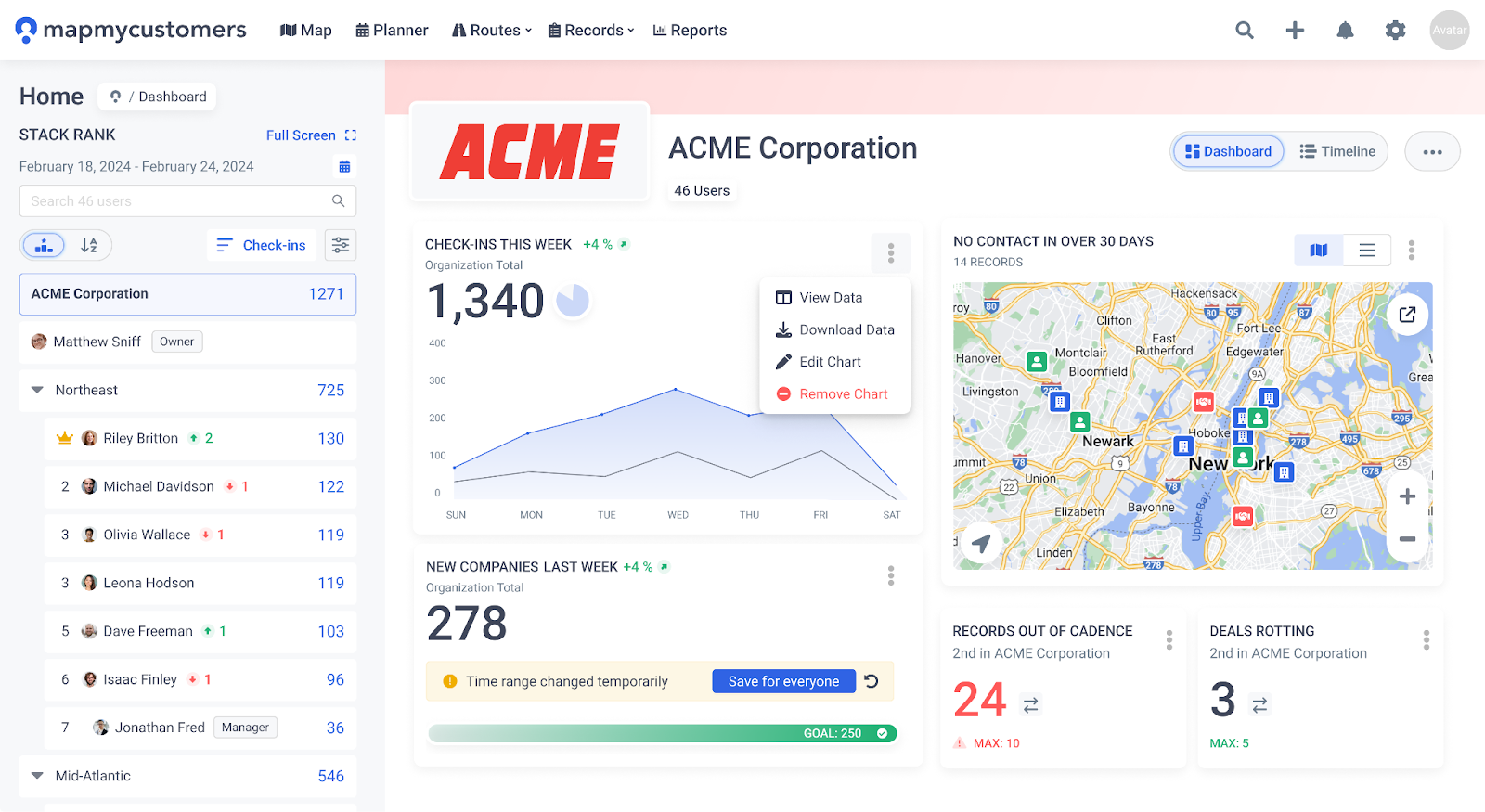
The right CRM mapping tool pays for itself quickly - typically within the first quarter - through reduced drive time, improved account coverage, and higher rep productivity. The harder cost to quantify, but just as real, is the pipeline that stops falling through the cracks when every account on the map has a clear owner, a scheduled next touch, and a logged visit history.
For field sales teams evaluating options, Map My Customers offers a purpose-built solution with a free trial that lets teams validate ROI before committing. See how it works at mapmycustomers.com/demo.