"It integrates with our CRM without a steep learning curve."
Jenny L. Sales Service Manager · G2, March 2026
 Map My Customers + Dynamics
Map My Customers adds a purpose-built execution layer for field sales, giving reps one place to prioritize accounts, plan their day, prepare for customer visits, capture activity, and follow up. Dynamics remains the system of record, with data kept in sync.
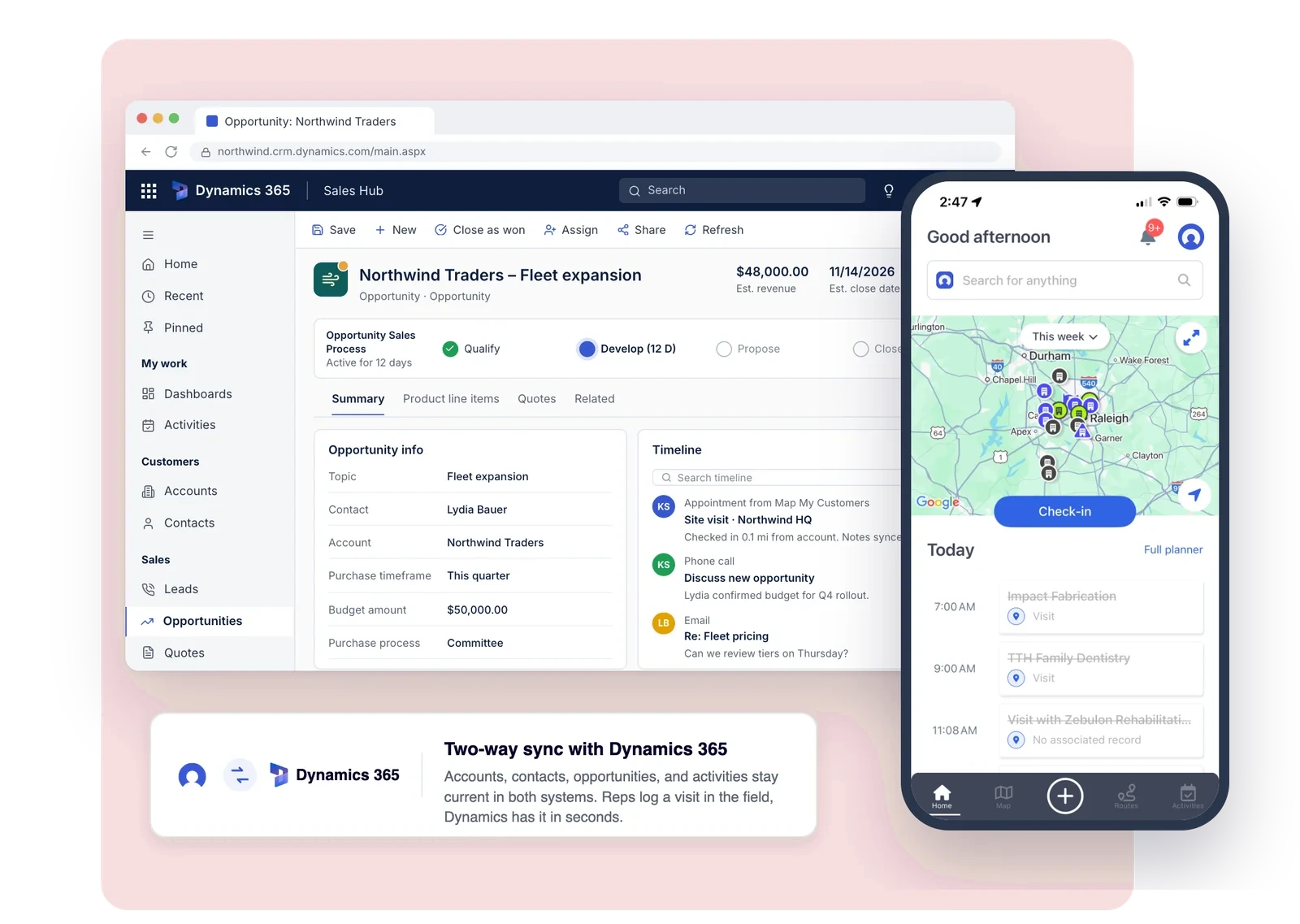
Built for field sales
Customer and opportunity data from Dynamics becomes part of the rep's daily workflow in Map My Customers. Reps can see where to focus, plan an efficient day, prepare for each stop, capture what happened, and move to the right next action, without bouncing between tools.
Explore the platform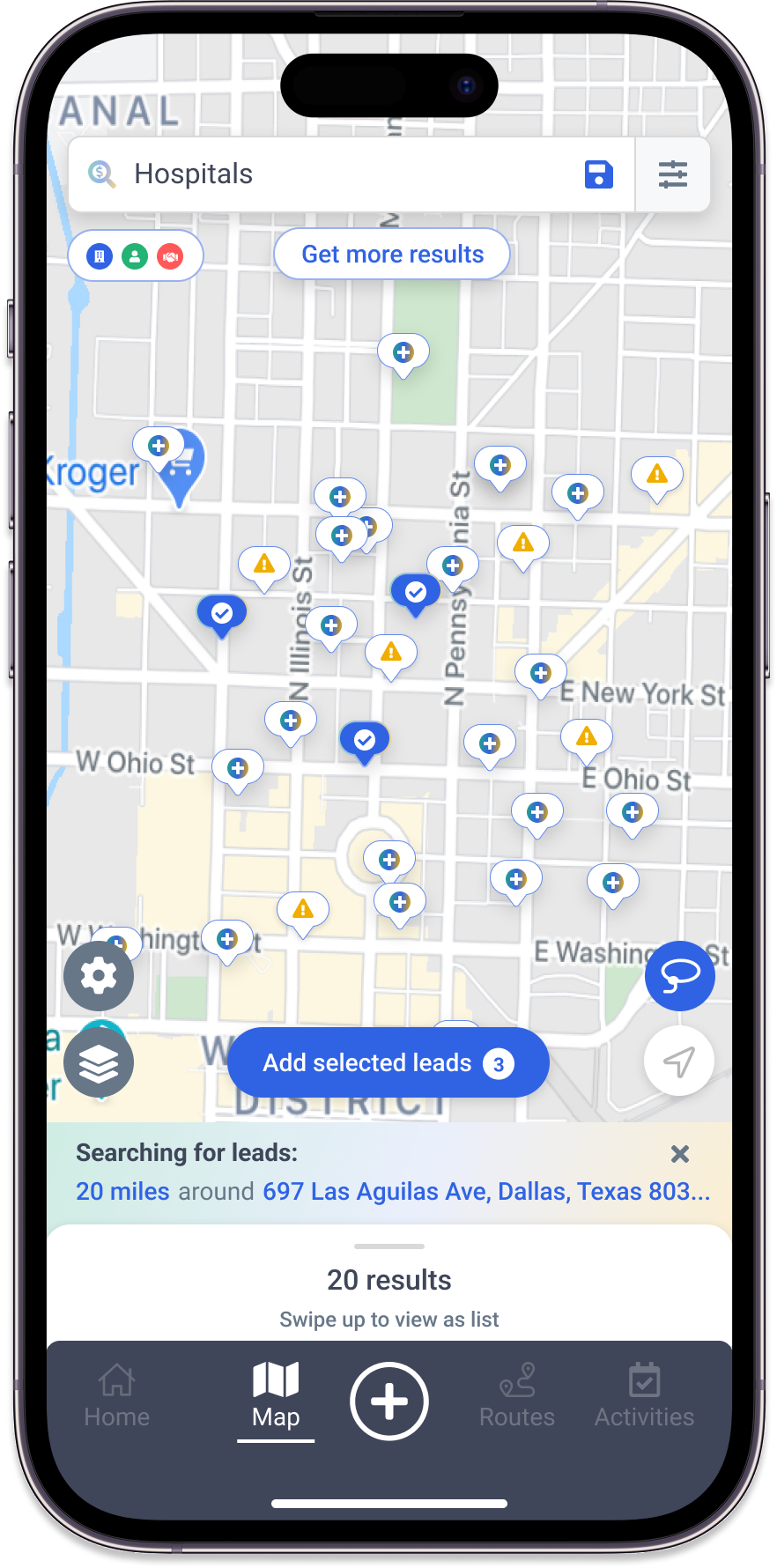
See which accounts, opportunities, and follow-ups need attention.
Build the day around the right customers, routes, and territory priorities.
Give reps the context they need before they walk into a customer meeting.
Record visits, notes, outcomes, and next steps while the work is happening.
Field reps should not have to choose between spending time with customers and keeping the CRM current. Map My Customers makes it easier to capture what happens in the field and connect that activity back to Dynamics.
Visits, notes, customer updates, and follow-up activity can be recorded as part of the rep's normal field workflow.
Keep the customer record connected to what reps are actually learning and doing in the field.
Sales leaders, operations teams, and others working in Dynamics get a more complete view of customer activity.
How it works
Customer and pipeline data

Field sales execution
Updated field context
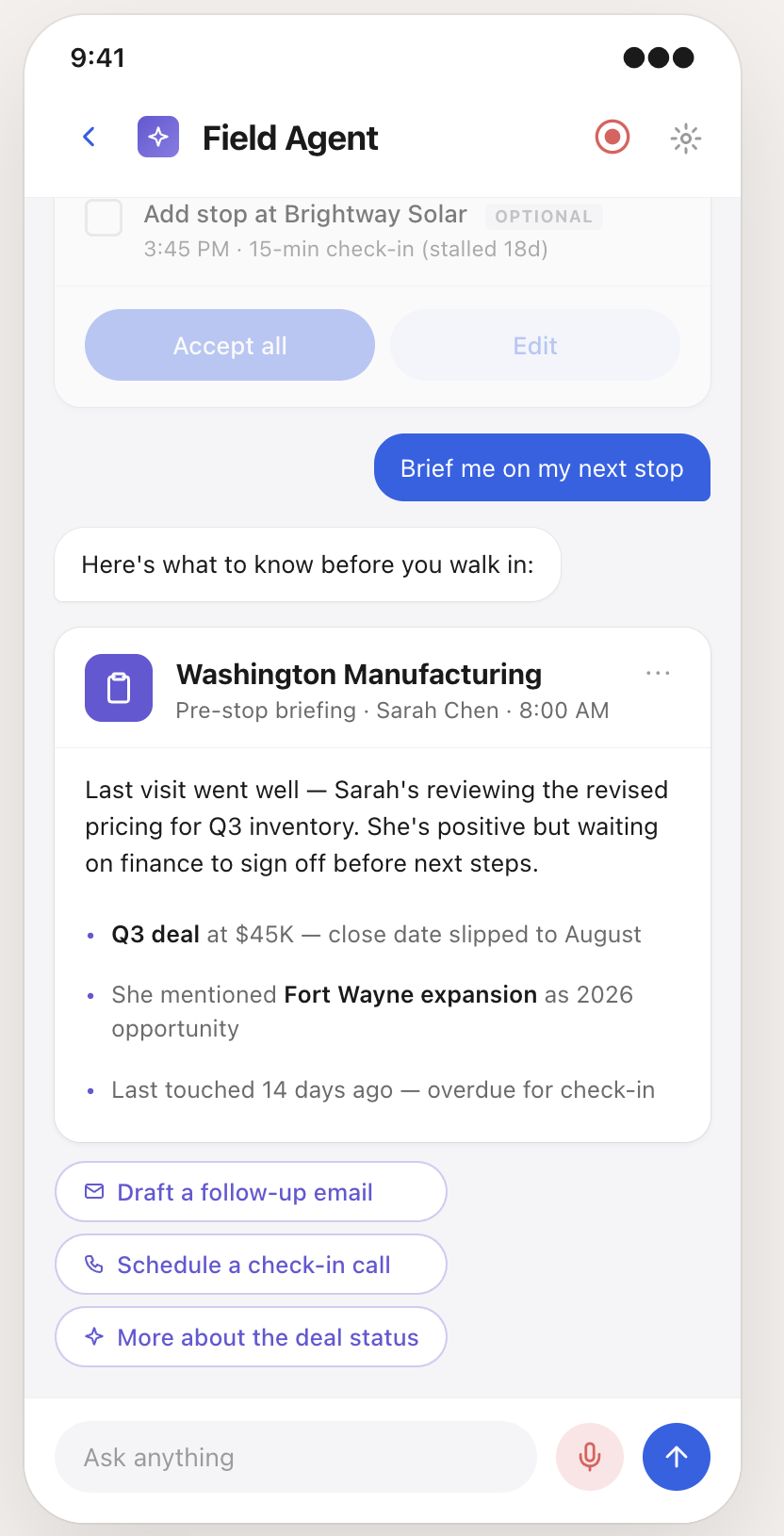
AI Field Agent
AI Field Agent helps reps turn Dynamics account context and field activity into action, without adding more admin to the day.
Surface relevant account context so reps arrive prepared.
Debrief by voice while the conversation is fresh and turn it into structured activity.
Generate follow-up and suggested next steps based on the customer interaction.
Set up with ease
Map My Customers' native Dynamics integration connects to the CRM you already use, without a lengthy implementation. Choose what comes over, map your fields, and get your field team working with Dynamics data in Map My Customers.
Most teams are up and syncing in under 15 minutes.
Select the Dynamics records your field team needs, including contacts, companies, deals, activities, and more.
Match Dynamics fields to Map My Customers, including the custom fields and picklists your team already uses.
Choose how often data syncs between Dynamics and Map My Customers to keep both systems up to date.
Give reps the customer context they need to prioritize, plan, visit, and follow up from Map My Customers.
Customer reviews
"It integrates with our CRM without a steep learning curve."
"It was easy to implement into our day-to-day use and integrates well with our CRM."
"Very easy to use and train on. Allows for optimal use of field agents time."
Two-way sync
With two-way sync, supported activity captured in Map My Customers, including visits, notes, and customer updates, can flow back into Dynamics, helping keep customer records current without asking reps to maintain two separate workflows.
Let reps record supported customer and field activity in the workflow they already use.
Send supported updates back to Dynamics so teams have access to more current customer context.
Bring what is happening outside the office into the CRM used by sales, operations, marketing, and leadership.
| Dynamics object | Dynamics → MMC | MMC → Dynamics | Notes |
|---|---|---|---|
| Companies | ✓ | ✓ | New companies created in MMC and updates to existing records sync back to Dynamics. |
| Contacts (People) | ✓ | ✓ | New contacts created in MMC and field updates sync back to Dynamics. |
| Deals | ✓ | ✓ | New deals created in MMC and updates sync back to Dynamics. |
| Activities (visits, notes, tasks) | ✓ | ✓ | Field activity captured in MMC synchronizes back to Dynamics with two-way sync. |
| Custom properties | ✓ | Configurable | Mapped during setup, where supported. |
Sync direction and available fields are configured per account. Talk to our team to confirm what’s supported for your Dynamics setup.
Common questions about connecting Microsoft Dynamics and Map My Customers. Still curious? See all FAQs.
Only for the initial authorization. A Dynamics admin connects the two systems once; after that, setup and day-to-day management happen inside Map My Customers, with support from our team as needed.
Map My Customers sits on top of Dynamics as a purpose-built field sales layer. Customer and opportunity data from Dynamics is made available to reps in Map My Customers, while supported field activity can synchronize back to Dynamics.
Companies, contacts, deals, and activities sync from Dynamics into Map My Customers, along with supported custom properties, giving reps the account context they need in the field.
Yes. With two-way sync, supported field activity, such as visit notes and customer updates, can flow back into Dynamics to help keep the record current.
Yes. Reps can work from Map My Customers using customer, account, deal, and activity data synchronized from Dynamics, without switching into Dynamics during the day.
Yes. Dynamics companies and contacts appear on the map in Map My Customers, so reps can see account locations, plan routes, and prioritize territory coverage.
Yes. Once Dynamics accounts sync into Map My Customers, reps can build routes and daily plans around real account locations, priorities, and territory boundaries.
Yes. Activity capture plus two-way sync means what happens in the field, visits, notes, and customer updates, can flow back into Dynamics instead of staying in a notebook or a rep’s memory.
Yes, where supported. Custom Dynamics properties can be mapped to fields in Map My Customers as part of setup.
Yes. Field activity captured in Map My Customers, such as visits and notes, can synchronize back to Dynamics alongside the standard sync of companies, contacts, deals, and activities.
Most teams connect Dynamics and start syncing in under 15 minutes. A Dynamics admin authorizes the connection, then records and fields can be configured inside Map My Customers.
Map My Customers + Dynamics
Keep Dynamics as your system of record while Map My Customers gives reps and leaders the field-specific workflows, visibility, and intelligence they need every day.