
Introduction
Every sales organization needs a reliable place to manage customer relationships. A CRM holds your accounts, contacts, opportunities, and pipeline, and it gives leaders the data they need to forecast and plan. Choosing the right one is one of the most consequential software decisions a sales team makes.
Good data habits pay off. In Salesforce’s 2026 State of Sales survey of more than 4,000 sales professionals, 79% of high-performing sellers said they prioritize data hygiene, compared with 54% of underperformers. The same research found that sellers spend about 40% of their time actually selling (Salesforce, 2026).
That second number matters for teams that sell in the field. For field sales organizations, there is a distinction worth making early:
A CRM is a system of record. It stores what is known about your customers and your pipeline. A field sales execution platform is a system of execution. It turns that information into the daily work of reps on the road: which accounts to visit, in what order, and what happened when they got there.
For many field teams, the challenge isn’t picking a better CRM. It’s making sure reps can execute well once the CRM is in place. We’ll come back to that after the comparison. First, the CRMs.
Quick Comparison: 14 Sales CRMs at a Glance
Prices are list prices per user per month, billed annually, as published on each vendor’s site in November 2026, unless noted. Promotions, seat minimums, onboarding fees, and add-ons can change the real cost, so confirm with the vendor before you buy.
| CRM | Best for | Starting price | Free plan or trial |
|---|---|---|---|
| Salesforce | Teams that need deep customization as they scale | $25 (Starter Suite) | 30-day trial |
| HubSpot Sales Hub | SMB teams that want sales and marketing on one platform | $20/seat (Starter) | Free tools for 2 users |
| Bitrix24 | Budget-conscious teams that want CRM, tasks, and chat in one tool | $49/month flat for 5 users | Free plan |
| Microsoft Dynamics 365 Sales | Mid-market and enterprise teams on Microsoft 365 | $65 (Professional) | Free trial |
| Insightly | B2B teams that manage projects after the sale | $29 (Plus) | 14-day trial |
| Zoho CRM | Cost-conscious teams that want a highly configurable CRM | $14 (Standard) | Free for 3 users |
| Freshsales | Inside sales teams that want AI features at a low entry price | $9 (Growth) | 21-day trial |
| Zendesk Sell | Existing customers planning a migration only | Retiring August 31, 2027 | Not recommended |
| Nutshell | Small B2B teams that want sales and light marketing together | $13 (Foundation) | 14-day trial |
| Pipedrive | SMB teams that run a visual, deal-stage pipeline | $14 (Lite) | 14-day trial |
| monday CRM | Teams already working in monday.com | $12/seat (Basic, 3-seat minimum) | 14-day trial |
| Keap | Small service businesses that need marketing automation and payments | $3,195/year, 2 users included | Free trial |
| Capsule CRM | Very small B2B teams that want simplicity | $18 (Starter) | Free for 2 users |
| Copper | Teams that run on Google Workspace | $23 (Basic) | 14-day trial |
Sales CRMs vs. Organization-Wide CRMs
Before comparing individual products, decide which kind of CRM you need.
Organization-wide CRMs connect sales, marketing, and customer service on one platform. They offer service ticketing, marketing automation, and cross-team reporting, which makes them powerful but usually more complex to configure and adopt.
Sales-focused CRMs prioritize the sales workflow: pipeline management, deal tracking, email and call logging, and rep productivity. They are typically faster to set up and easier for reps to adopt, but they may need integrations to cover marketing or service.
Many vendors now offer both, with a core sales product and add-on hubs or suites. The labels below describe each product’s center of gravity rather than a hard category.
14 Popular Sales CRM Options
1. Salesforce
Best for teams that need deep customization and expect to scale
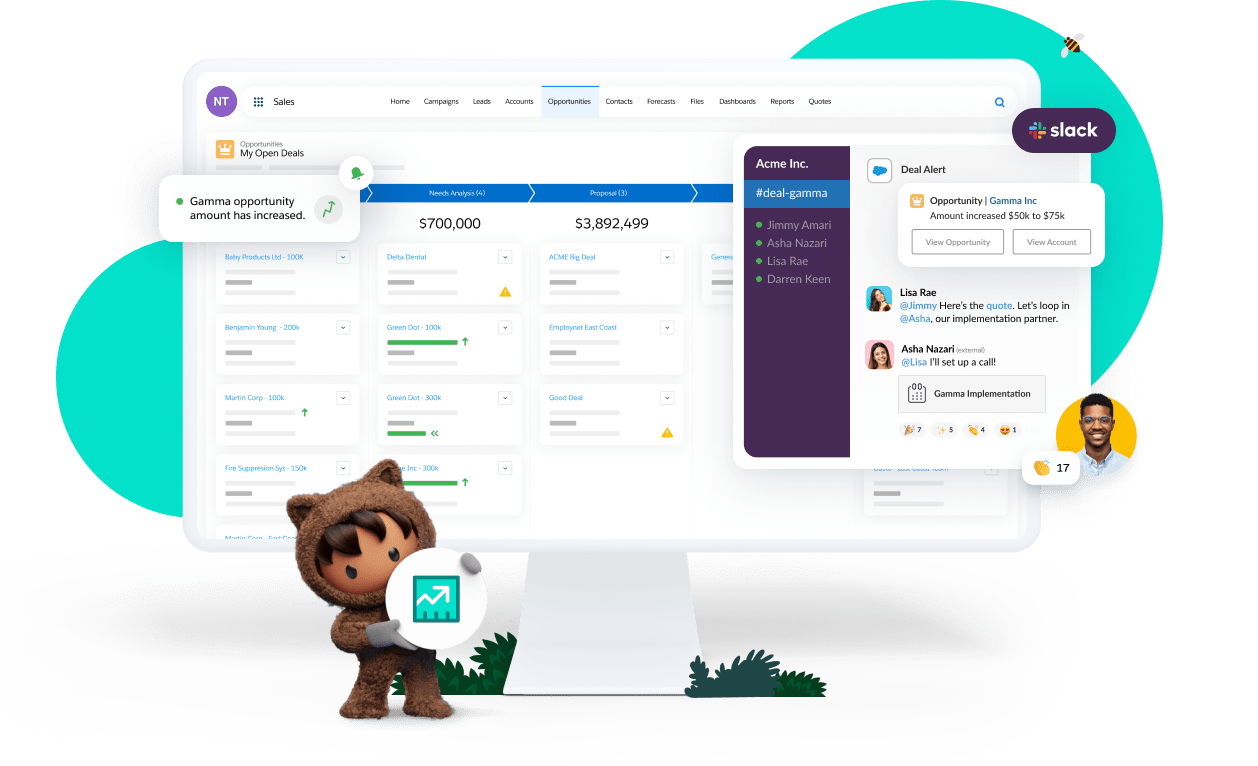
Salesforce is the most widely used CRM platform and the default choice for organizations that want to model complex sales processes. Small businesses can start on Starter Suite ($25/user/month) or Pro Suite ($100/user/month, annual contract), while larger organizations use Sales Cloud editions with advanced forecasting, territory management, and Agentforce AI. Starter Suite replaced the older Essentials edition, and Salesforce says it has no user maximum.
Pros:
- Extremely customizable objects, workflows, and reporting
- Huge ecosystem of apps on AppExchange and certified partners
- Agentforce AI features included at entry levels, with more capacity on higher editions
- Scales from a small team to a global enterprise on the same platform
Cons:
- Costs rise quickly as you add editions, add-ons, and AI capacity
- Steep learning curve, and complex setups usually need a dedicated admin or partner
- Many teams find it powerful but time-consuming for reps to keep current in the field
2. HubSpot Sales Hub
Best for small and mid-size teams that want sales and marketing on one platform
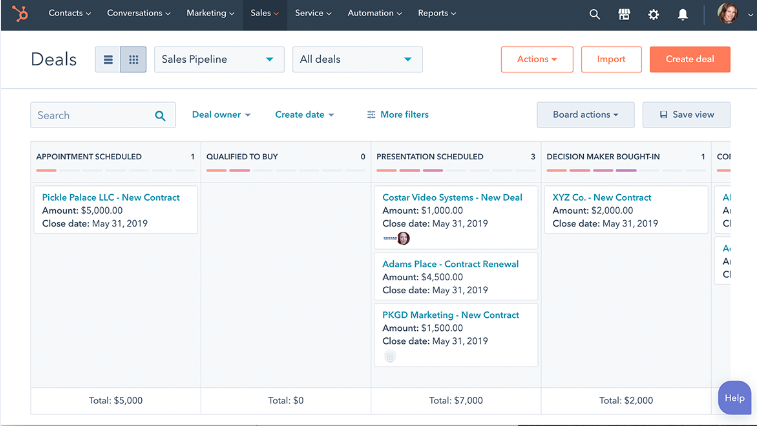
HubSpot is known for ease of use. Teams can start with free CRM tools for up to 2 users, then move to Sales Hub Starter (from $20/seat/month, with discounts for new customers), Professional ($90/seat/month plus a one-time onboarding fee), or Enterprise (from $150/seat/month). Breeze, HubSpot’s AI layer, adds an assistant and AI agents that run on HubSpot Credits.
Pros:
- Clean, approachable interface that reps adopt quickly
- Free entry point for very small teams
- Native connection to HubSpot’s marketing, service, and content tools
- Large integration marketplace
Cons:
- Big jump in price and features between Starter and Professional
- Professional and Enterprise require one-time onboarding fees
- Advanced customization and reporting are reserved for higher tiers
3. Bitrix24
Best for budget-conscious teams that want CRM, tasks, and team chat in one tool
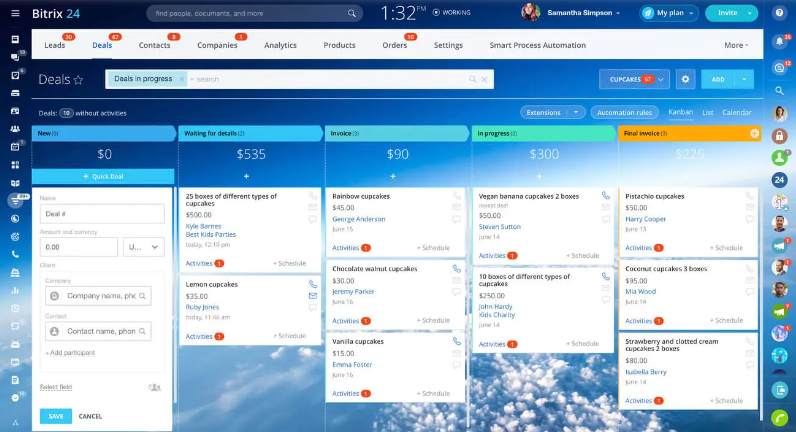
Bitrix24 bundles CRM with tasks, calendars, chat, video calls, and a website builder. Unlike most CRMs, it charges a flat monthly price per organization rather than per user: Basic is $49/month for 5 users and Standard is $99/month for 50 users, billed annually. A free plan covers 1 to 2 users. CoPilot AI handles call transcription, summaries, and field autocompletion.
Pros:
- Flat pricing makes larger teams inexpensive
- Wide feature set beyond CRM, including internal chat and video
- Multi-channel communication with customers
- Mobile CRM app for leads, deals, and invoices
Cons:
- The breadth of features makes the interface feel crowded
- Steep learning curve for new users
- Can slow down with advanced workflows
4. Microsoft Dynamics 365 Sales
Best for mid-market and enterprise teams standardized on Microsoft 365
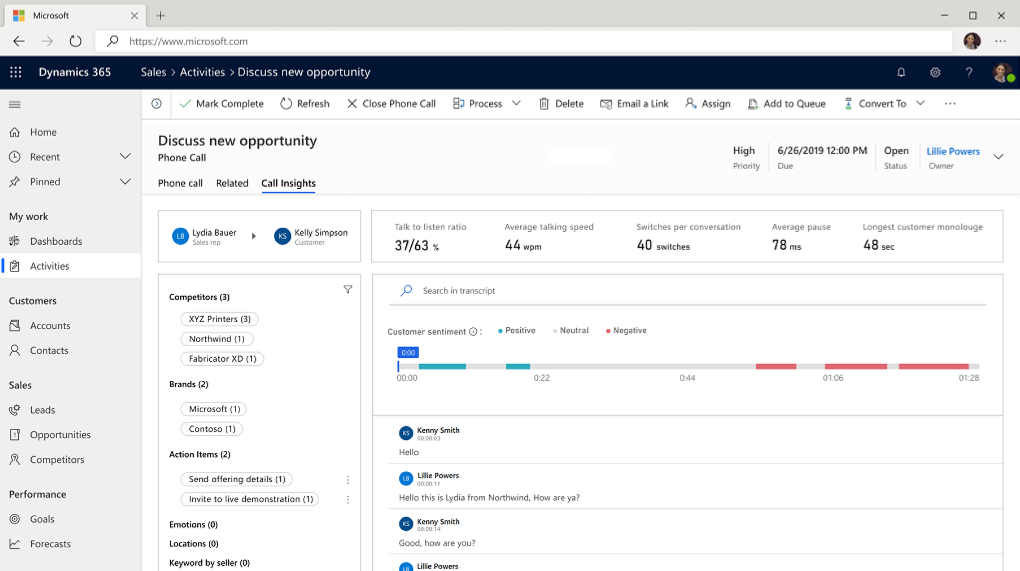
Dynamics 365 Sales fits naturally into organizations that already run on Outlook, Teams, and the Power Platform. Pricing starts at $65/user/month for Professional, with Enterprise at $105 and Premium at $150. Enterprise includes Copilot in Dynamics 365 Sales for record summaries, meeting prep, and email drafting, and Microsoft Relationship Sales adds LinkedIn Sales Navigator. On mobile, Dynamics 365 now runs through the Power Apps mobile app.
Pros:
- Deep integration with Outlook, Teams, Excel, and SharePoint
- Highly customizable through the Power Platform
- Copilot AI built into Enterprise and Premium
- Strong fit for organizations with Microsoft-focused IT teams
Cons:
- Setup and customization usually need experienced help
- Learning curve for non-technical users
- AI agents can require additional Copilot Credits and Azure services
5. Insightly
Best for B2B teams that manage projects after the sale
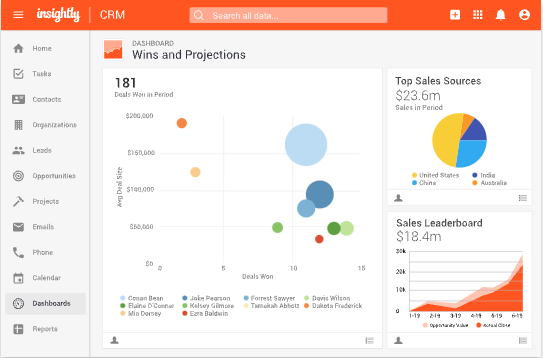
Insightly combines CRM with project management, so the same platform can track a deal and then the delivery work that follows. Plans start at $29/user/month (Plus), with Professional at $49 and Enterprise at $99, and include an AI Copilot on higher tiers. Insightly merged with Unbounce in 2024 and now sits alongside Unbounce’s landing page products.
Pros:
- Converts won opportunities into projects without another tool
- Mobile app with business card scanning and voice notes
- Workflow automation and permission settings for growing teams
Cons:
- No free plan, and some bundles require paid onboarding
- Reporting and customization are less flexible than larger platforms
- Reviewers report occasional performance issues
6. Zoho CRM
Best for cost-conscious teams that want a highly configurable CRM
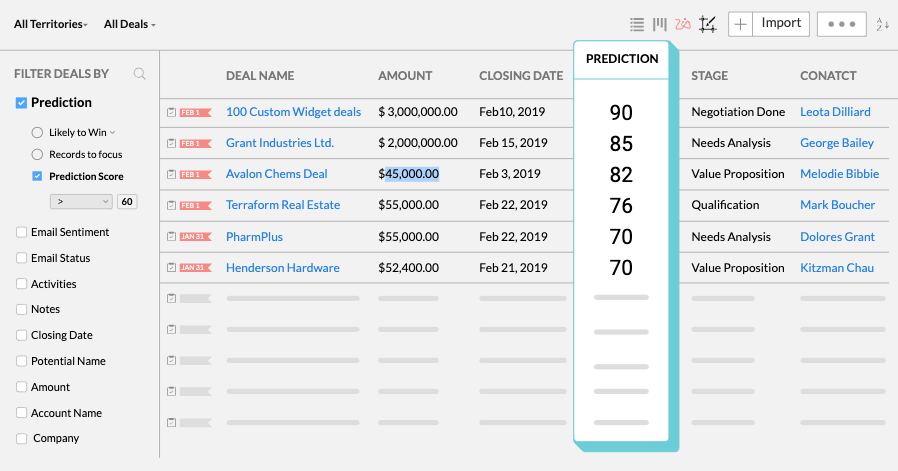
Zoho CRM offers an unusual amount of configurability for the price. It is free for up to 3 users, and paid editions run from $14/user/month (Standard) to $52 (Ultimate). From Professional up, Zia AI agents can act as an SDR, sales coach, or deal analyzer, and the mobile apps support offline work that syncs when you reconnect.
Pros:
- Strong feature set at every price point
- Free edition for very small teams
- Zia AI agents and predictive intelligence on mid and upper tiers
- Part of the broader Zoho suite of business apps
Cons:
- Steep learning curve and a busy interface
- Setup often benefits from an admin or partner
- Support on lower tiers can be slow
7. Freshsales
Best for inside sales teams that want AI features at a low entry price
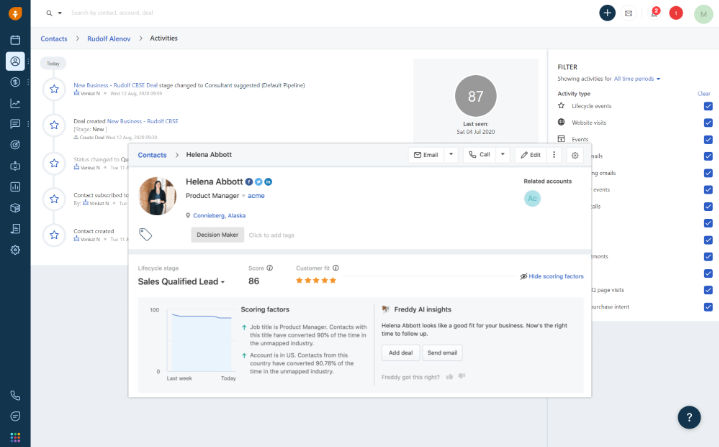
Freshsales, the sales CRM from Freshworks (sold for a time as “Freshworks CRM”), starts at $9/user/month on the Growth plan, with Pro at $39 and Enterprise at $59. Freddy AI provides contact scoring, deal insights, and email drafting, and Pro adds territory management and sales sequences. A 21-day free trial is available.
Pros:
- Low entry price for a full-featured CRM
- Freddy AI scoring and deal insights on Pro and above
- Built-in phone, email, and sequences
- Natural fit for teams already using Freshdesk
Cons:
- Custom reports can be hard to build
- Reviewers report occasional email sync issues
- AI agent sessions are a paid add-on
8. Zendesk Sell (retiring August 31, 2027)
Best for existing customers planning a migration. Not recommended for new buyers.
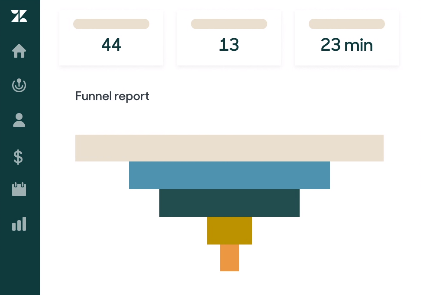
Zendesk Sell earned a following among outside sales reps for its mobile app, with calling, call recording, and activity tracking on the phone. In September 2025, Zendesk announced that Sell and its mobile app will be retired on August 31, 2027. Zendesk recommends Pipedrive as the migration path, and data is deleted when the subscription ends or on the retirement date.
If you use Sell today:
- Plan your migration well ahead of the retirement date
- Export what you can early; Zendesk notes that some activity history cannot be exported
- Compare replacement options on mobile workflow, not just pipeline features
9. Nutshell
Best for small B2B teams that want sales and light marketing in one CRM
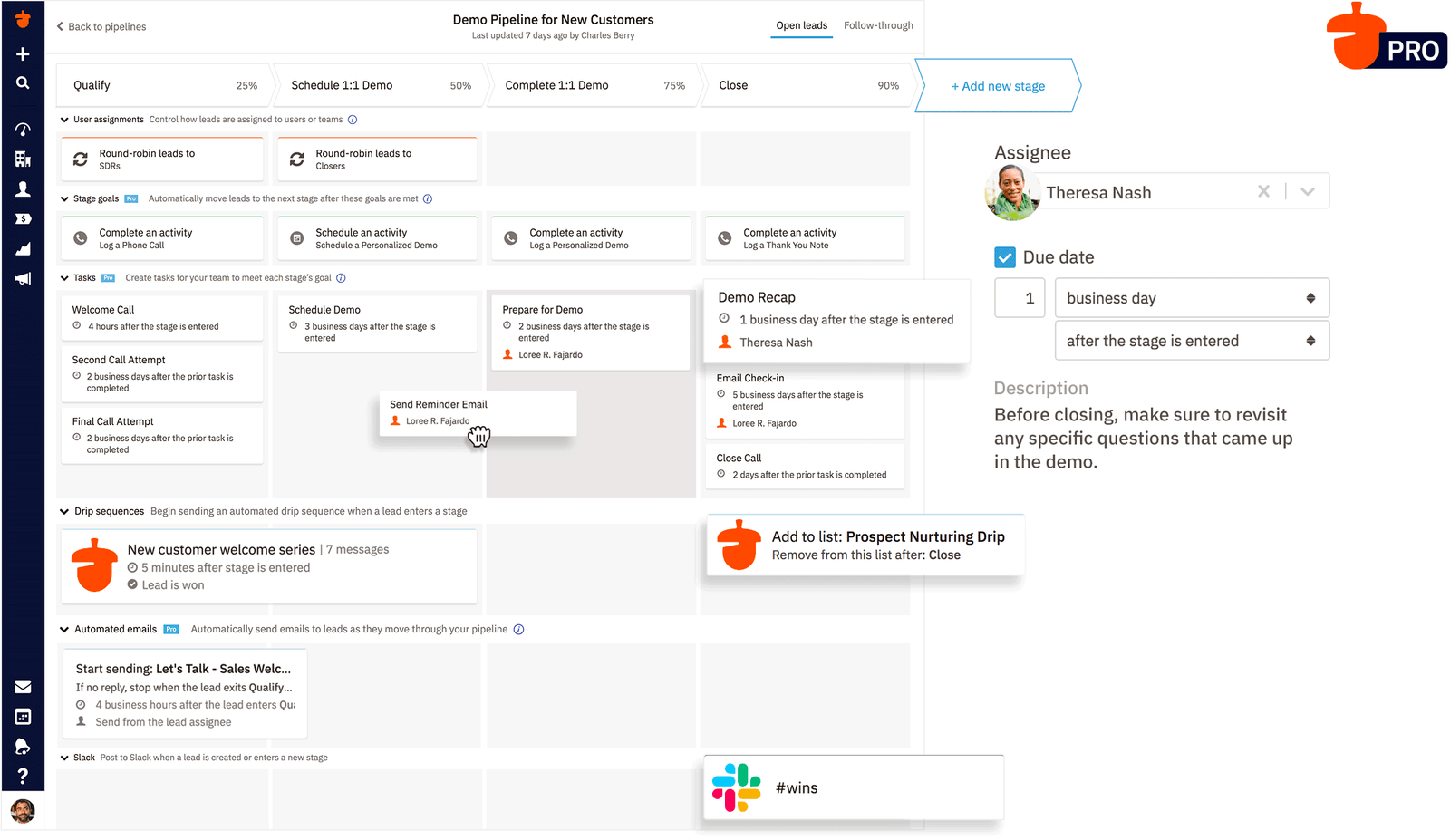
Nutshell is a user-friendly CRM that includes webchat, forms, landing pages, and basic email marketing on every plan. Pricing runs from $13/user/month (Foundation) to $79 (Enterprise), with live support included. A map view plots companies, people, and leads as pins, so reps can see nearby records and get directions.
Pros:
- Easy to learn, with free live support on every plan
- Built-in map view of CRM records
- AI recaps and next steps on Pro and above
- Sales and marketing tools in one product
Cons:
- Reporting and customization are lighter than larger platforms
- Pipeline limits on lower tiers
- Map pins are approximate, and there is no route optimization
10. Pipedrive
Best for SMB teams that run a visual, deal-stage sales process
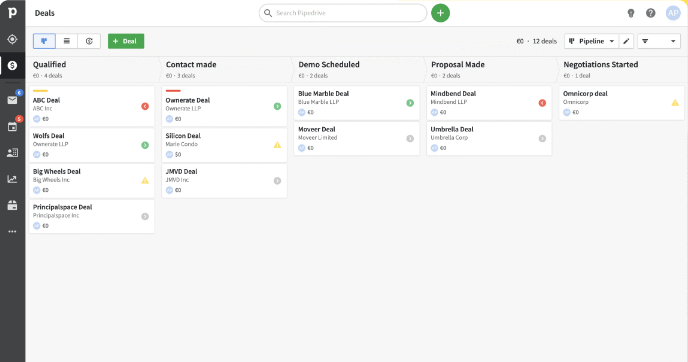
Pipedrive is built around a visual pipeline that makes it easy to see where every deal stands. After a 2025 plan restructure, it offers Lite ($14/user/month), Growth ($39), Premium ($59), and Ultimate ($79). Nova, its meeting assistant, writes pre-call briefs, takes notes on video calls, and suggests CRM updates afterward. Zendesk now recommends Pipedrive for Zendesk Sell customers.
Pros:
- Intuitive pipeline view that reps adopt quickly
- Automation that reduces repetitive admin work
- AI meeting notes and briefs included across plans
- Mobile apps for iOS and Android
Cons:
- Reporting is less flexible than enterprise platforms
- Add-ons for lead generation, projects, and campaigns raise the total cost
- Fewer native connections to large enterprise systems
11. monday CRM
Best for teams already working in monday.com that want a highly configurable pipeline
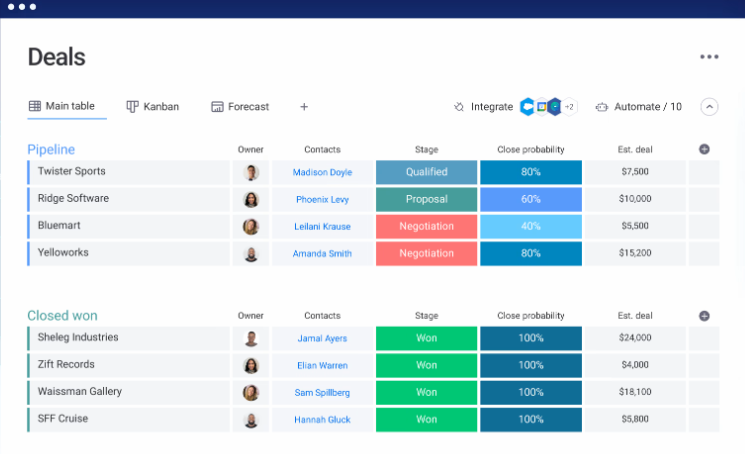
monday CRM grew out of monday.com’s work management platform and keeps its flexible, board-based design. Plans start at $12/seat/month (Basic), with Standard at $17 and Pro at $28, and require a minimum of 3 seats. Newer AI features include agents for lead sourcing and meeting prep, an AI notetaker, and AI-powered data fields.
Pros:
- Very approachable, visual interface
- No-code automations and flexible boards
- Strong fit with monday.com project and work management
- Growing set of AI agents
Cons:
- Seat minimums and seat bundles raise the cost for small teams
- Some reporting and formula features are limited
- Less specialized for complex B2B sales than dedicated sales CRMs
12. Keap
Best for small service businesses that want marketing automation and payments with their CRM
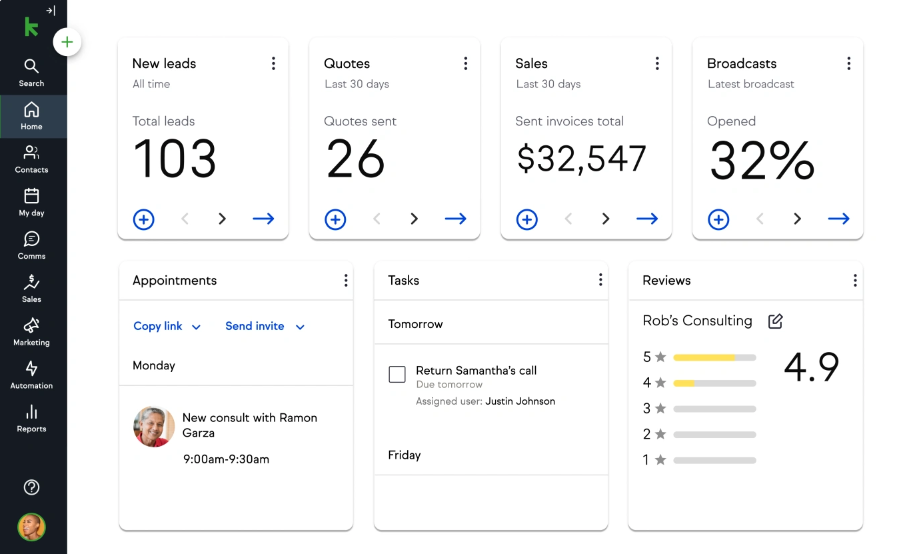
Keap, formerly Infusionsoft and now a Thryv brand, combines CRM with email and text automation, appointment scheduling, invoicing, and payments. Instead of tiered per-user plans, Keap now sells a single plan at $3,195 per year billed annually, with 2 users included and additional users at $39/month. An implementation package is required.
Pros:
- Marketing automation and payments in one product
- Built-in appointment scheduling and a business phone line
- Mobile app for contacts, notes, and invoices
Cons:
- Higher cost than most small-business CRMs
- Steep learning curve for automation
- Better suited to service businesses than B2B sales teams
13. Capsule CRM
Best for very small B2B teams that want a simple CRM
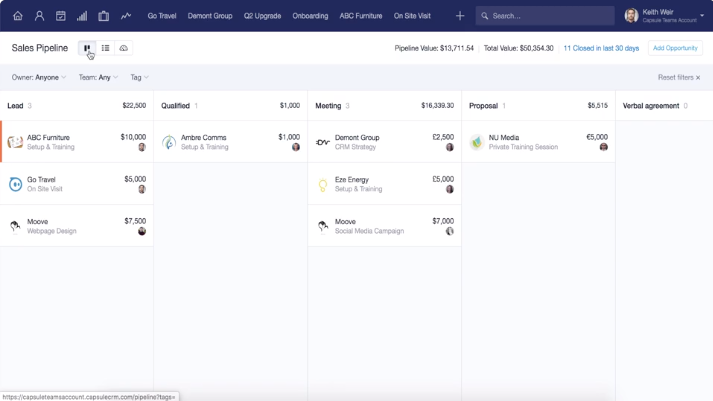
Capsule focuses on simplicity. The free plan covers 2 users and 250 contacts, and paid plans run from $18/user/month (Starter) to $72 (Ultimate). Growth and higher plans add AI summaries, contact enrichment, and connectors for AI assistants, and the mobile app supports offline use and call logging.
Pros:
- Clean interface with a minimal learning curve
- Genuine free plan for 1 to 2 users
- Mobile app with offline access
- Clear commitment not to train AI on customer data
Cons:
- The free plan is limited to 250 contacts and one pipeline
- Workflow automation requires a paid plan
- Fewer advanced features than larger CRMs
14. Copper
Best for teams that run their business on Google Workspace
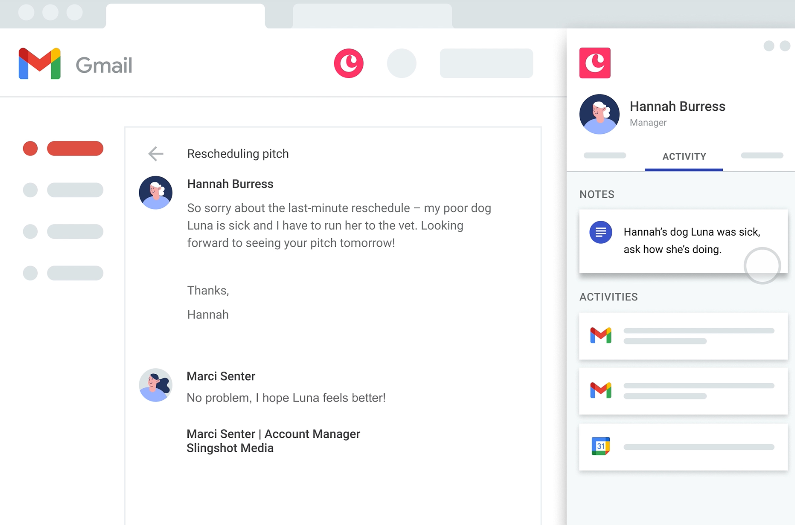
Copper works inside Gmail and Google Calendar through a Chrome extension, and syncs with Google Contacts, Drive, and Sheets. Plans start at $23/user/month (Basic), with Professional at $59 and Business at $99. The mobile app logs calls and texts and scans business cards.
Pros:
- Deep Google Workspace integration with minimal manual entry
- Visual pipeline and automatic contact capture from email
- Mobile app with business card scanning
Cons:
- Less useful for teams outside Google Workspace
- Reviewers cite cost relative to features
- AI capabilities are lighter than some competitors
Why Field Sales Teams Need More Than a CRM
Every CRM above can store accounts, track opportunities, and report on pipeline. That’s the job of a system of record, and it’s essential. But managing customer relationships and managing the day-to-day work of a field sales team are different problems.
A rep in the field is making decisions all day: which accounts to see, how to fit them into a route, what to say when they arrive, and how to capture what happened before the next stop. Their manager is trying to understand coverage and coaching needs across a territory they can’t see directly. Field organizations run into the same operational challenges no matter which CRM they choose:
- Prioritizing accounts and opportunities. Knowing which customers need attention this week, not just which records exist.
- Planning territories and routes. Balancing workloads and turning a list of stops into an efficient day.
- Reducing administrative work. Cutting the manual updates that pull reps out of selling time.
- Capturing field activity as it happens. Logging visits, notes, and next steps while they’re fresh, not on Friday from memory.
- Giving managers real-time visibility. Seeing coverage and execution without waiting on call reports.
- Understanding what drives top performance. Identifying the field behaviors behind your best results.
- Making execution repeatable. Turning those behaviors into consistent processes across reps and territories.
Many CRMs offer some help here, from mobile apps to mapping add-ons and AI assistants. The difference is focus. A purpose-built execution layer is designed around the rep’s day and the manager’s view of the field, which makes these workflows more effective for teams that sell face to face. For a deeper look, see field sales software vs. CRM.
| Traditional CRM | Field sales execution platform | |
|---|---|---|
| Primary role | System of record | System of execution |
| Core question | What do we know about this customer and deal? | What should this rep do today, and what happened? |
| Main users | Sales, marketing, service, leadership | Field reps and their managers |
| Typical strengths | Accounts, contacts, pipeline, forecasting | Account prioritization, routing, visit capture, field visibility |
| Where work happens | Mostly at a desk | On the road, on a phone |
| How they relate | Holds the data | Turns that data into daily action, then syncs it back |
Keep Your CRM. Add the Execution Layer.
Map My Customers is a field sales execution platform built to work alongside your CRM, not replace it. Your CRM stays the system of record. Map My Customers helps field teams turn that customer data into daily action, and sends the results back. It focuses on three outcomes:
- Reduce seller burden. Mobile-first workflows, intelligent routing, and AI Field Agent help reps spend less time on administration and more time with customers.
- Enable real-time visibility. Leaders see field activity, territory coverage, and team execution as it happens, without relying entirely on delayed CRM updates.
- Close the performance gap. Managers can identify the field behaviors that drive results, coach more consistently, and make strong execution habits repeatable across teams.
How Map My Customers works with the CRMs on this list
Integration options vary by system, so it’s worth knowing which kind of connection applies to yours. See the integrations page for current details.
- Native integrations: Salesforce, HubSpot, Microsoft Dynamics 365, and Zoho CRM. Accounts, contacts, and deals come into the field, and supported field activity can sync back. Sync direction, setup, and the fields involved depend on the CRM and your plan. Learn more about one-way vs. two-way CRM sync.
- Native ERP integration: Oracle NetSuite, for teams that want order and account data from the ERP in the field.
- Other CRMs and systems: Platforms such as Pipedrive, Freshsales, or monday CRM can connect through the Map My Customers REST API, Zapier, or scheduled file imports. These connections require more setup than a native integration, and their capabilities depend on how they’re built.
Map My Customers can also be used on its own by teams that don’t yet have a CRM, then connected to one later.
Driving CRM Engagement and Usage After Implementation
Any CRM is only as valuable as the data reps put into it, so adoption deserves as much attention as selection. Involve a few strong reps in the pilot, make the first workflows simple, and show reps what they get back for keeping records current. The Field Sales Leadership Guide podcast covers practical ways to drive CRM engagement after implementation.
Conclusion
Choosing the right CRM is an important decision, and the options above cover a wide range of team sizes, budgets, and sales motions. Start with how your team sells, shortlist two or three platforms, and test them with your own data and your own reps.
But selecting a CRM isn’t the end of building an effective sales technology stack. A CRM helps you manage customer relationships and pipeline. For teams that sell in the field, a field sales execution platform helps reps and managers turn that information into action every day.
Run your field team, not just your CRM. See how Map My Customers works alongside your existing CRM to improve field execution.
Frequently asked questions
What is a sales CRM?
A sales CRM is software that helps sales teams manage accounts, contacts, opportunities, and pipeline in one place. It records customer interactions, tracks deals through stages, and gives leaders the data to forecast revenue.
What is the best CRM for sales reps?
It depends on the team. HubSpot and Pipedrive are popular with small and mid-size teams for ease of use, Salesforce and Dynamics 365 suit organizations that need deep customization, and Zoho CRM and Capsule are strong budget options.
Is there a free sales CRM?
Yes. As of November 2026, HubSpot offers free tools for up to 2 users, Zoho CRM is free for up to 3 users, Capsule has a free plan for 2 users and 250 contacts, and Bitrix24 has a free plan for small teams.
Is Zendesk Sell being discontinued?
Yes. Zendesk announced that Zendesk Sell and its mobile app will be retired on August 31, 2027, and recommends Pipedrive as the migration path. New buyers should choose a different CRM.
What is the difference between a sales CRM and an organization-wide CRM?
Organization-wide CRMs connect sales, marketing, and service on one platform. Sales-focused CRMs prioritize pipeline management, deal tracking, and rep productivity, and are usually faster to set up.
Do field sales teams need more than a CRM?
Often, yes. A CRM is the system of record for accounts and pipeline. Field teams also need help prioritizing accounts, planning routes, capturing visits as they happen, and giving managers real-time visibility, which is the job of a field sales execution platform.
Does Map My Customers replace a CRM?
No. Map My Customers is a field sales execution platform that works alongside your CRM. It has native integrations with Salesforce, HubSpot, Microsoft Dynamics 365, and Zoho, and connects to other systems through its API, Zapier, or file imports.